ERROR 22-322: Syntax error, expecting one of the following: a name, *.
 14th June 2010
This is one of the classic SAS errors that you can get from PROC SQL, and it can be thrown by a number of things. Missing out a comma in a list of variables in a SELECT statement is one situation that will do it, as will be having an extraneous one. As I discovered recently, an ill-defined SAS function nesting like LEFT(TRIM(PERIOD,BEST.)) will have the same effect; notice the missing PUT function in the example. The latter surprised me because I might have expected something more descriptive for this, as would be the case in data step code. In the event, it took some looking before the problem hit me because it's remarkable how blind you can become to things that are staring you in the face. Familiarity really can make you pay less attention.
ERROR: Invalid value for width specified - width out of range
8th June 2010
This could be the beginning of a series of error messages from PROC SQL that may appear unclear to a programmer more familiar with Data Step. The cause of my getting the message that heads this posting is that there was a numeric variable with a length less than the default of 8, not the best of situations. Sadly, the message doesn't pinpoint the affected variable, so it took some commenting out of pieces of code before I found the cause of the problem. That's never to say that PROC SQL does not have debugging functionality in the form of FEEDBACK, NOEXEC, _METHOD and _TREE options on the PROC SQL line itself or the validation statement, but neither of these seemed to help in this instance. Still, they're worth keeping in mind for the future, as is SAS Institute's own page on SQL query debugging. Of course, now that I know what might be the cause, a simple PROC SQL report using the dictionary tables should help. The following code should do the needful:
proc sql;
    select memname, name, type, length
        from dictionary.columns
            where libname="DATA" and type="num" and length ne 8;
quit;
A look at Slackware 13.0
5th June 2010
Some curiosity has come upon me and I have been giving a few Linux distros a spin in VirtualBox virtual machines. One was Slackware, which reminds me of a fellow university student using it in the mid/late 1990's. Since then, my exploration took me into Red Hat, SuSE, Mandrake and eventually to Ubuntu, Debian and Fedora. Since all of that bypassed Slackware, it was to give the thing a look.
While the current version is 13.1, it was 13.0 that I had to hand, so I had a go with that. In many ways, the installation was a flashback to the 1990's and I can see it looking intimidating to many computer users with its now old-fashioned installation GUI. If you can see through that, though, the reality is that it isn't too difficult to install.
After all, the DVD was bootable. However, it did leave you at a command prompt and I can see that throwing many. The next step is to use cfdisk to create partitions (at least two are needed, swap and normal). Once that is done, it is time to issue the command setup and things look more graphical again. I picked the item for setting the locale of the keyboard and everything followed from there, but there is a help option too for those who need it. If you have installed Linux before, you'll recognise a lot of what you see. It'll finish off the set-up of disk partitions for you and supports ext4 too; it's best not to let antique impressions fool you. For most of the time, I stuck with the defaults and left it to perform a full installation with KDE as the desktop environment. If there is any real criticism, it is the absence of an overall progress bar to see where it is with package installation.
Once the installation was complete, it was time to restart the virtual machine, and I found myself left at the command prompt. Only the root user was set up during installation, so I needed to add a normal user too. Issuing startx was enough to get me into KDE (along with included alternatives like XFCE, there is a community build using GNOME too) for that, but I wanted to have that loading automatically. To fix that, you need to edit /etc/inittab to change the default run level from 3 to 4 (hint: look for a line with id:3:initdefault: in it near the top of the file and change that; the file is well commented so you can find your way around it easily without having to look for specific esoteric test strings).
After all this, I ended up with a usable Slackware 130.0 installation. Login screens have a pleasing dark theme by default, while the desktop is very blue. There may be no OpenOffice but KOffice is there in its place and Seamonkey is an unusual inclusion along with Firefox. Though it looks as if it'll take a little more time to get to know Slackware, it looks good so far; I may even go about getting 13.1 to see how things might have changed and report my impressions accordingly. Some will complain about the rough edges that I describe here but remarks about using Slackware to learn about Linux persist. Maybe, Linux distributions are like camera film; some are right for you and some aren't. Personally, I wouldn't thrust Slackware upon a new Linux user if they have to install it themselves, but it's not at all bad for that.
If all else fails...
3rd June 2010
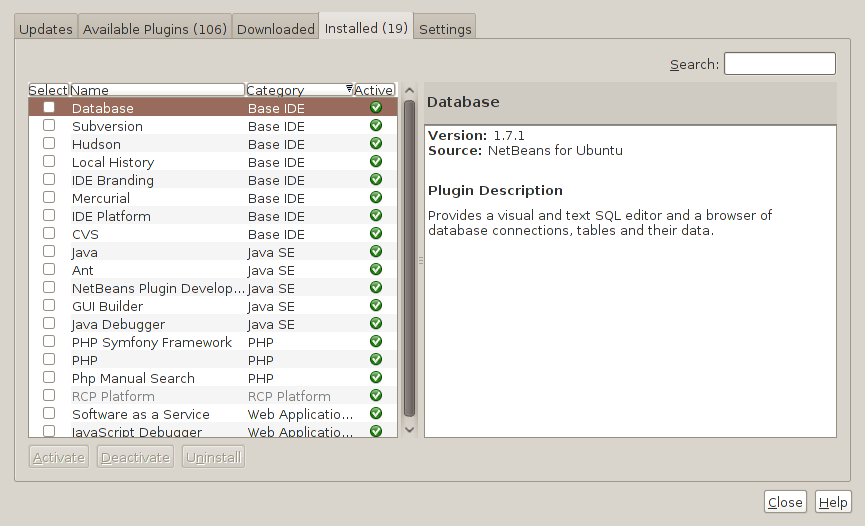
Two problems have come my way that were resolved by removing configuration files and going again. Both affected Linux installations that I have. The Ubuntu installation on my main PC is working well, but I ran into trouble starting up NetBeans 6.8. No GUI would ever appear but taking away the .netbeans folder from my home area allowed a fresh start with the IDE starting up as it should. To date, not all the various projects that I have are restored, but that can be done as I go along. Plugins for PHP development needing reinstatement, but that was another easy thing to achieve; just go to Tools > Plugins on the menus and work with the dialogue box that appears to download and install the needful.
The inspiration for taking the configuration folder from the home area came from needing to address a misadventure with a Debian VM. Perhaps foolishly, I went using gconf-editor on there and messed up the appearance of the terminal window with whatever change I made. Getting rid of the .gconf folder restored order with its recreation by the system. Next time, remembering what changes have been made and reversing them might be the best course of action...
Upgrading to Fedora 13
1st June 2010
After having a spin of Fedora's latest in a VirtualBox virtual machine on my main home PC, I decided to upgrade my Fedora box. First, I needed to battle imperfect Internet speeds to get an ISO image that I could burn to a DVD. Once that was in place, I rebooted the Fedora machine using the DVD and chose the upgrade option to avoid bringing a major upheaval upon myself. You need the full DVD for this because only a full installation is available from Live ISO images and CD's.
Since all was graphical easiness, I got back into Fedora again without a hitch. Along with other bits and pieces, MySQL, PHP and Apache are working as before. If there was any glitch, it was with NetBeans 6.8 because the upgrade from the previous version didn't seem as complete as hoped. However, it was nothing that an update of the open source variant of Java and NetBeans itself couldn't resolve. There may have been untidy poking around before the solution was found, but all has been well since then.