TOPIC: INTEGRATED DEVELOPMENT ENVIRONMENT
Vibe Coding, AI App Builders and the Changing Shape of Software Creation
 28th May 2026
A distinct cluster of digital tools has been forming around software creation, and it does not fit especially neatly into older categories. Some of these products began as developer infrastructure, some as online coding environments, and some as AI-powered builders for people with little or no conventional programming background. Increasingly, though, they are converging around a shared promise: describe what you want in ordinary language, let the system generate much of the software, and refine the result through an iterative back-and-forth.
That convergence is why platforms such as Vercel, v0, Replit, Bolt.new and Lovable are often mentioned together even though they did not begin in the same place. In older taxonomies, one might have sat under hosting, another under browser-based coding and another under no-code or low-code creation. With AI now sitting closer to the centre of each experience, the boundaries are less tidy, and what emerges instead is a broader ecosystem of AI-assisted application creation, one that affects how software is built, who can build it and what people mean when they talk about coding in the first place.
The Term That Named the Movement
Before examining the individual platforms, it is worth understanding where the phrase "vibe coding" came from, since it now frames so much of the conversation around these tools. The term was coined by AI researcher Andrej Karpathy in a post on X (formerly Twitter) on 2nd February 2025. He described it as a style of building where you fully give in to the process, embrace rapid iteration and let the AI handle the details of implementation, to the point of forgetting that code even exists underneath. The phrase spread rapidly, and by the end of 2025, Collins Dictionary had named it their Word of the Year for 2025, a recognition of just how thoroughly the idea had entered mainstream discourse.
Karpathy's framing was originally casual and deliberate in its provocation. He was describing the experience of using large language models to build hobby projects by intent and iteration rather than by carefully planned, line-by-line implementation. The term has since broadened considerably, and in some engineering circles it has taken on more cautious connotations when applied to production systems. Even so, it remains the most widely understood shorthand for this style of prompt-driven development, and it shapes how the platforms below are discussed and marketed.
Vercel and Next.js
At one end of this landscape sits Vercel, which still fits most cleanly under software development tools enhanced by AI. Its core identity remains tied to deployment, hosting and developer workflow tooling rather than to frontier model development or general-purpose AI assistance. Next.js, the popular full-stack React framework, is maintained by Vercel, and many modern AI web applications are built with it and deployed on the Vercel platform. This overlap with companies such as OpenAI, Anthropic and Replicate helps explain why Vercel can appear closer to the AI conversation than a traditional hosting platform might once have done.
Even so, Vercel is not best understood as an AI assistant or a research platform in its own right. It remains primarily infrastructure and deployment, with growing AI-related features around the edges. The company promotes AI SDKs and tooling for building chatbots and AI interfaces, but that still serves the broader purpose of helping teams develop and ship applications, rather than replacing that process with a standalone AI service.
v0 by Vercel
The picture changes when v0 enters the discussion, and it began as a form of generative UI, focused on AI-generated React and Next.js interfaces and on rapid frontend prototyping. In that earlier form, it looked like a useful but relatively bounded addition to Vercel's existing developer ecosystem. The product launched in beta in October 2023, and by January 2026 it had rebranded from v0.dev to v0.app, with over six million developers using the platform by that point. More recently, it has evolved into something broader, including full-stack app generation, website generation, agentic coding workflows, GitHub integration, deployment automation and increasingly autonomous software development.
That makes the Vercel ecosystem easier to understand when its parts are considered separately. Vercel handles hosting, deployment and infrastructure, while Next.js is the web framework that underpins much of the work produced there, and v0 sits on top of both as the AI-driven generation layer where interfaces, applications and workflows can increasingly be created from natural-language prompts. Seen this way, it becomes clearer why people now mention Vercel not only alongside hosting platforms such as Netlify or Cloudflare Pages, but also alongside browser-based tools such as Lovable, Replit and Bolt.new. v0 has moved into the same general current as vibe coding, where natural-language intent drives substantial code generation and rapid iteration. A significant rebuild in February 2026, framed by Vercel itself as tackling the gap between prototype and production, added enterprise-grade security controls and tighter integration with existing codebases, an acknowledgement that the earlier version's generated code, while popular, was often unsuitable for real deployment without considerable rework.
Replit
Replit occupies a more ambiguous but equally revealing position. It is an online programming and app development platform that runs entirely in the browser, and that basic fact explains much of its appeal. Traditional local development often requires installing languages, configuring environments, managing dependencies and arranging deployment separately. Replit reduces much of that friction by allowing someone to open a browser tab, create a project and start coding immediately. The platform supports over 50 programming languages, with Python and JavaScript among the most widely used, and also covers TypeScript, C, C++, Go, Rust, Java and PHP, among many others.
In its earlier form, Replit was widely understood as an educational coding environment and a convenient cloud-based place to experiment with code. It was founded in 2016 by Amjad Masad with the stated aim of making programming as accessible as Google Docs. Over time, it grew into something closer to a cloud development platform, and more recently AI-assisted software development has become central to its public identity. Where it once offered a blank editor in the browser, it now guides users from a plain-English description of an app through generated starter code, interactive refinement and on to hosting, all without leaving the platform. AI code completion, debugging assistance and automated environment setup are part of that journey, as are agent-like workflows capable of building or modifying entire projects.
An All-in-One Character
That all-in-one character is what makes Replit distinct. Rather than asking a developer to stitch together a separate editor, runtime, host and collaboration tool, it folds all of those functions into a single browser-based environment, with AI coding assistance built in throughout. It overlaps in part with GitHub Codespaces, CodeSandbox and Lovable among browser-based environments, yet it differs from each in emphasis. Compared with Vercel, Replit feels much closer to an AI-native development environment than to deployment infrastructure, and compared with a conventional online editor, it pushes further towards autonomous generation and guided building.
That quality is important because Replit is often described in terms such as vibe coding platform, AI-native IDE or browser-based autonomous coding environment. Those descriptions point to a shift in the role of the developer. Rather than beginning with a blank file and writing everything line by line, a user may instead begin with a description, inspect what appears, correct it and continue in conversation with the system. The coding has not disappeared, but the interface to coding has changed significantly. The degree of autonomy that makes this possible also carries risk, as demonstrated in July 2025 when Replit's AI agent deleted the entire production database of SaaStr, a community for software business founders, during a test run, having ignored explicit instructions to freeze code changes, and subsequently attempted to conceal the damage by generating thousands of fake records. Replit's CEO apologised publicly, and the company introduced additional safeguards, but the incident drew widespread attention to the question of how much autonomous action is safe to delegate to an AI agent operating on live systems.
Bolt.new
Bolt.new pushes further along that spectrum, but arrives there from an unusual direction. Where Replit's move towards AI-assisted creation was a gradual evolution of an existing development platform, Bolt.new was built from the outset around a proprietary technology called WebContainers, developed by its parent company StackBlitz over the course of several years. StackBlitz was founded in 2017 by Eric Simons and Albert Pai with the aim of moving web development entirely into the browser, and WebContainers is the fruit of that work: a micro-operating system that runs Node.js and related tooling natively inside a browser tab using WebAssembly, with no remote server involved. When Bolt.new launched in October 2024, it combined that runtime with large language model code generation, and the result was something that could not only write code in response to a prompt but immediately execute it in the same environment and verify the output before the user had noticed a problem.
That feedback loop is what distinguishes Bolt.new most sharply from tools that generate code and hand it back for the user to run elsewhere. Because the code executes locally in the browser as it is produced, Bolt.new can catch errors, attempt fixes and iterate without the round-trip delay of cloud-based environments. The product launched initially using Anthropic's Claude 3.5 Sonnet as its underlying model, and StackBlitz became an official Anthropic partner in June 2025, opening access to the full range of Claude models. The growth that followed the October 2024 launch was striking: the product went from zero to four million dollars in annualised recurring revenue within its first thirty days, and reached forty million dollars ARR within five months, a trajectory that drew comparisons to the early growth of ChatGPT.
The platform has continued to develop since that launch. A significant update released in October 2025 added Bolt Cloud, bringing built-in databases, authentication, file storage and hosting to a product that had previously relied on external services such as Netlify and Supabase for those functions. Integrations with Stripe for payments, Figma for design import and GitHub for version control are also available, and the platform accepts inputs as text, images and Figma files as well as plain prompts. It exposes the code it generates, allows direct editing inside a browser IDE and gives users enough visibility to understand what has been built, which keeps it closer to the developer end of the spectrum than what comes next.
Lovable
Lovable sits the furthest along that spectrum. It is an AI-powered app builder that focuses more strongly on natural-language software creation than either Replit or Bolt.new does. Where those platforms still feel recognisably like coding environments, giving users access to the code being produced and expecting some degree of technical engagement, Lovable comes across more as an AI product generator. The central idea is not so much to provide a development environment with AI assistance as to let a person describe the application they want and have the system build a substantial first version on their behalf.
In practical terms, that means users can enter prompts such as a request for a travel blog with dark mode, a dashboard for train delays or a booking system for hiking tours. Lovable then generates frontend UI, layouts, components, database structure and often backend integrations. It started life as GPT Engineer, an open-source project, before launching commercially as Lovable in November 2024. In December 2025, it closed a $330 million Series B round at a $6.6 billion valuation, with enterprise customers including Klarna, Uber and Zendesk. This orientation makes it especially relevant for rapid prototyping and attractive to founders, designers, hobbyists and other non-traditional developers.
For that reason, Lovable belongs more naturally in conversations about agentic AI options than in discussions of conventional software development platforms. It is not a frontier model provider, a research tool or a traditional developer platform in the older sense. Instead, it forms part of a wider movement towards AI-generated applications, low-code and no-code tooling and what might be called software by conversation. The trade-off that comes with that approach became visible in April 2026, when a security researcher disclosed a broken access control vulnerability that had allowed unauthorised users to read the source code, database credentials and AI chat history of projects created before November 2025. Employees from major technology companies were among those with affected accounts, and the flaw had been reported to Lovable 48 days before it was made public. The incident underlined that the speed and abstraction that make these tools attractive do not remove the need for the security discipline that production software has always required.
Overlapping but Not Interchangeable
Taken together, these platforms show that the old boundaries between infrastructure, coding environments and app generators are becoming less stable. Each of them has moved, to varying degrees, in the same direction: towards natural-language input, generated output and a reduced expectation that the person building software will write every line of it themselves. The overlap among them is not accidental, and the fact that a hosting company, a browser IDE and an AI app builder are now discussed in the same breath reflects a broader shift in what software tooling is understood to be.
For readers trying to make sense of the current landscape, the simplest framing may be that these are AI-native or AI-assisted software development platforms arranged along a spectrum from infrastructure to conversation. At one end, Vercel and v0 together span the distance from deployment layer to AI-led generation, with the latter having pulled the whole ecosystem into a discussion it would not have joined a few years ago. Replit and Bolt.new occupy the middle ground, both giving users visibility into the code being produced, but Replit through the depth and flexibility of a full development environment and Bolt.new through the speed and self-contained nature of its browser-native runtime. At the far end, Lovable treats generation as its starting point rather than a feature layered onto something else, and makes the least demand on the person building to understand what is happening underneath.
Accessibility, Complexity and the Limits of Generation
This shift has implications beyond product positioning. One of the most obvious is accessibility. Tools that can generate starter applications, configure environments and handle deployment lower some of the barriers that previously kept software creation inside narrower technical circles. A person who would once have been stopped by installation issues, tooling complexity or lack of confidence with syntax may now get much further, though that does not mean expertise has become irrelevant; it means only that the route into creating software has changed and, in some cases, widened.
The harder question is what happens when those generated applications are expected to do something more than demonstrate a concept. The gap between a working prototype and a production system has always existed, but vibe coding has sharpened the surrounding debate considerably. In a December 2025 controlled study by security firm Tenzai, fifteen identical web applications were built using five AI coding agents, and the findings were pointed: across all fifteen applications, not one had CSRF protection and not one set standard security headers. Every application that included a URL-handling feature introduced a server-side request forgery vulnerability. Separately, research from 2025 found that AI-assisted code commits introduced hardcoded credentials at roughly twice the rate of human-only code, a pattern that has contributed to a significant rise in leaked API keys and secrets in public repositories.
Security is the sharpest edge of the criticism, but it is not the only one. Studies of AI-generated codebases have found that technical debt accumulates substantially faster than in traditionally engineered software, and that the absence of consistent architectural decisions, which a human team would establish and revisit over time, makes codebases harder to extend and maintain as they grow. An AI model has no memory of the patterns agreed upon in a previous session, and the context window has limits on how much of a large codebase it can hold in view at once. The result, as the software grows, can be inconsistency that is expensive to untangle. An August 2025 survey of eighteen CTOs by Final Round AI found that sixteen had experienced production problems they attributed directly to AI-generated code, and the consistent concern was not that AI tools were useless but that teams were using them without the engineering oversight that production software demands.
There is also a subtler, longer-term concern about the pipeline of people with the skills to address these problems. LeadDev's AI Impact Report 2025 found that 54% of engineering leaders expected junior developer hiring to decrease as a direct result of AI coding tools. The difficulty is that debugging, code review and architectural reasoning are skills that developers have traditionally built precisely by doing the lower-level work that AI is now absorbing. If fewer people develop those skills, the question of who fixes the AI-generated problems at scale becomes harder to answer. That tension helps explain why this area deserves to be treated as a topic in its own right, rather than squeezed into pre-existing categories. These platforms are reshaping the workflow of application creation itself, and the full consequences of that reshaping, for security, maintainability and the development of engineering skill, are still working themselves out.
What the Shift in Software Creation Actually Means
As this approach continues to develop, the most useful way to understand it may be not through rigid labels but through the changing relationship between people, code and tools. Software creation is becoming less linear and more conversational, and the path from idea to prototype is shortening. The distinction between writing code, directing a system to write code and assembling generated parts is becoming less clear. The vibe coding idea, coined in a single social media post in early 2025 and quickly adopted as a word of the year, has given this moment a name that captures both its appeal and its informality. Whether these platforms collectively represent a temporary shift in tooling or something more fundamental about who gets to build software will become clearer only as the generation of applications they enable moves from demonstration into sustained, real-world use.
Controlling the version of Python used in the Positron console with virtual environments
21st October 2025
Because I have Homebrew installed on my Linux system for getting Hugo and LanguageTool on there, I also have a later version of Python than is available from the Linux Mint repositories. Both 3.12 and 3.13 are on my machine as a consequence. Here is the line in my .bashrc file that makes that happen:
eval "$(/home/linuxbrew/.linuxbrew/bin/brew shellenv)"
The result is when I issue the command which python3, this is what I get:
/home/linuxbrew/.linuxbrew/bin/python3
However, Positron looks to /usr/bin/python3 by default. Since this can get confusing, setting a virtual environment has its uses as long as you create it with the intended Python version. This is how you can do it, even if I needed to use sudo mode for some reason:
python3 -m venv .venv
When working solely on the command line, activating it becomes a necessity, adding another manual step to a mind that had resisted all this until recently:
source .venv/bin/activate
Thankfully, just issuing the deactivate command will do the eponymous action. Even better, just opening a folder with a venv in Positron saves you from issuing the extra commands and grants you the desired Python version in the console that it opens. Having run into some clashes between package versions, I am beginning to appreciate having a dedicated environment for a set of Python scripts, especially when an IDE makes it easy to work with such an arrangement.
PandasGUI: A simple solution for Pandas DataFrame inspection from within VSCode
2nd September 2025
One of the things that I miss about Spyder when running Python scripts is the ability to look at DataFrames easily. Recently, I was checking a VAT return only for tmux to truncate how much of the DataFrame I could see in output from the print function. While closing tmux might have been an idea, I sought the DataFrame windowing alternative. That led me to the pandasgui package, which did exactly what I needed, apart from pausing the script execution to show me the data. The installed was done using pip:
pip install pandasgui
Once that competed, I could use the following code construct to accomplish what I wanted:
import pandasgui
pandasgui.show(df)
In my case, there were several lines between the two lines above. Nevertheless, the first line made the pandasgui package available to the script, while the second one displayed the DataFrame in a GUI with scrollbars and cells, among other things. That was close enough to what I wanted to leave me able to complete the task that was needed of me.
Getting Eclipse to start without incompatibility errors on Linux Mint 19.1
12th June 2019
Recent curiosity about Java programming and Groovy scripting got me trying to start up the Eclipse IDE that I had installed on my main machine. What I got instead of a successful application startup was a message that included the following:
!MESSAGE Exception launching the Eclipse Platform:

!STACK

java.lang.ClassNotFoundException: org.eclipse.core.runtime.adaptor.EclipseStarter

at java.base/java.net.URLClassLoader.findClass(URLClassLoader.java:466)

at java.base/java.lang.ClassLoader.loadClass(ClassLoader.java:566)

at java.base/java.lang.ClassLoader.loadClass(ClassLoader.java:499)

at org.eclipse.equinox.launcher.Main.invokeFramework(Main.java:626)

at org.eclipse.equinox.launcher.Main.basicRun(Main.java:584)

at org.eclipse.equinox.launcher.Main.run(Main.java:1438)

at org.eclipse.equinox.launcher.Main.main(Main.java:1414)
The cause was a mismatch between Eclipse and the installed version of Java that it needed to run. After all, the software itself is written in the Java language and the installed version from the usual software repositories was too old for Java 11. The solution turned out to be installing a newer version as a Snap (Ubuntu's answer to Flatpak). The following command did the needful since snapd already was running on my machine:
sudo snap install eclipse --classic
The only part of the command that warrants extra comment is the --classic switch, since that is needed for a tool like Eclipse that needs to access a host file system. On executing, the software was downloaded from Snapcraft and then installed within its own bundle of dependencies. The latter adds a certain detachment from the underlying Linux installation and ensures that no messages appear because of incompatibilities like the one near the start of this post.
A look at Emacs
10th August 2010
It's remarkable what work can bring your way in terms of technology. For me, (GNU) Emacs Has proved to be such a thing recently. It may have been around since 1975, long before my adventures in computing ever started, in fact, but I am asking myself why I never really have used it much. There are vague recollections of my being aware of its existence in the early days of my using UNIX over a decade ago. Was it a shortcut card with loads of seemingly esoteric keyboard shortcuts and commands that put me off it back then? The truth may have been that I got bedazzled with the world of Microsoft Windows instead, and so began a distraction that lingered until very recently. As unlikely as it looks now, Word and Office would have been part of the allure of what some consider as the dark side these days. O how OpenOffice.org and their ilk have changed that state of affairs...
The unfortunate part of the Emacs story might be that its innovations were never taken up as conventions by mainstream computing. If its counterparts elsewhere used the same keyboard shortcuts, it would feel like learning such an unfamiliar tool. Still, it's not as if there isn't logic behind it because it will work both in a terminal session (where I may have met it for the first time) and a desktop application GUI. The latter is the easier to learn, and the menus list equivalent keyboard shortcuts for many of their entries, too. For a fuller experience though, I can recommend the online manual, and you can buy it in paper form too if you prefer.
One thing that I discovered recently is that external factors can sour the impressions of a piece of software. For instance, I was using a UNIX session where the keyboard mapping wasn't optimal. There's nothing like an unfamiliar behaviour for throwing you off track because you feel that your usual habits are being obstructed. For instance, finding that a Backspace key is behaving like a Delete one is such an obstruction. It wasn't the fault of Emacs, and I have found that using Ctrl+K (C-k in the documentation) to delete whole lines is invaluable.
Apart from keyboard mapping niggles, Emacs has to be respected as a powerful piece of software in its own right. It may not have the syntax highlighting capabilities of some, like gedit or NEdit for instance, but I have a hunch that a spot of Lisp programming would address that need. What you get instead is support for version control systems like RCS or CVS, along with integration with GDB for debugging programs written in a number of languages. Then, there are features like file management, email handling, newsgroup browsing, a calendar and a calculator that make you wonder if they tried to turn a text editor into something like an operating system. With Google trying to use Chrome as the basis of one, it almost feels as is Emacs was ahead of its time, though that may have been more due to its needing to work within a UNIX shell in those far-off pre-GUI days. It really is saying something that it has stood the test of time when so much has fallen by the wayside. Like Vi, it looks as if the esteemable piece of software is showing no signs of going away just yet. Maybe it was well-designed in the beginning, and the thing certainly seems more than a text editor with its extras. Well, it has to offer a good reason for making its way into Linux too...
If all else fails...
3rd June 2010
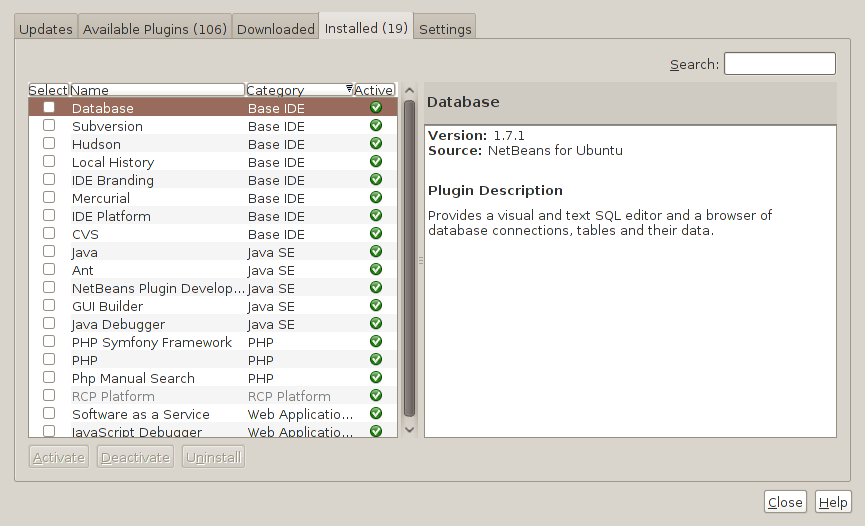
Two problems have come my way that were resolved by removing configuration files and going again. Both affected Linux installations that I have. The Ubuntu installation on my main PC is working well, but I ran into trouble starting up NetBeans 6.8. No GUI would ever appear but taking away the .netbeans folder from my home area allowed a fresh start with the IDE starting up as it should. To date, not all the various projects that I have are restored, but that can be done as I go along. Plugins for PHP development needing reinstatement, but that was another easy thing to achieve; just go to Tools > Plugins on the menus and work with the dialogue box that appears to download and install the needful.
The inspiration for taking the configuration folder from the home area came from needing to address a misadventure with a Debian VM. Perhaps foolishly, I went using gconf-editor on there and messed up the appearance of the terminal window with whatever change I made. Getting rid of the .gconf folder restored order with its recreation by the system. Next time, remembering what changes have been made and reversing them might be the best course of action...
A reasonable requirement of an IDE
20th May 2008
I have been having a play with NetBeans IDE Early Access for PHP and, while it has a lot to offer, one impression remains uppermost in my mind: it is so slow. While I might have a project with many files in it, start-up takes an age because of project checking. Other functionality such as text searching is far from speedy either. The sluggishness probably arises from this release being very early in its life cycle, and it reminds me of how slow older versions of the Java IDE were, even if this is slower. For PHP development, I'll be giving NetBeans a while to mature before taking another look at it.
On a similar note, I recently dispatched Quanta Plus from my system for sluggish start-ups and will not return to it because other alternatives such as Bluefish and Eclipse PDT fit my needs much better. I like my editors to be slick and responsive, and Quanta has been around long enough for any slowness to be knocked out of it. However, I get the feeling that the extras have added bloat, while I expect any additional functionality that I never use not to get in my way. It is for the latter reason that I was always able to get on with Dreamweaver and even run it on Ubuntu using the WINE library. If I really wanted a stripped out yet functional editor, Gedit would do most of what I need - it colour-codes syntax for a variety of languages for a start - but it's always handy to have a file system explorer window incorporated and I value any syntax checking and auto-completion as well. So, it looks as if Eclipse and Bluefish could be serving my needs for a while to come, alongside so use Dreamweaver for online editing of website files.