New theme
 31st January 2007
After trying to get WordPress.com to amend the Andreas04 theme and getting nowhere, I decided to jump ship and try the Andreas09 one instead. The permalink titles are more sensible on this one so I'll see what Technorati makes of them. Even though I have had to change theme, the wonders of CSS have allowed me to carry over elements of the colour scheme from the old to the new. If you really want to witness the raw power of CSS, pop over to CSS Zen Garden where the same HTML code is rendered in extraordinarily different ways thanks to CSS. There is even a book written by Dave Shea and Molly Holzschlag to go with the website.
VMware and ZoneAlarm
30th January 2007
Contrary to appearances given by this blog, I am not exclusively a Windows user. In fact, I have sampled Linux on a number of occasions in the past and I use VMware to host a number of different distributions – my Ubuntu installation is updating itself as I write this – as I like to keep tabs on what is out there. I also retain a Windows 2000 installation for testing, and have had a virtual machine hosting a test release of Vista not so long ago. I also have my finger in the UNIX world with an instance of OpenSolaris, though it is currently off my system thanks to my wrecking its graphics set up. However, ZoneAlarm has been known to get ahead of itself and start blocking VMware. If you go having a look on the web, there is no solution to this beyond a complete system refresh (format the boot drive and reinstall everything again) and I must admit that this sounds like throwing out bath, baby and bathwater together. I did find another approach, though: removing ZoneAlarm and reinstalling it. This wipes all its remembered settings, including the nefarious one that conflicted with VMware in the first place. It's remarkable that no one else has considered this, but it has worked for me, and having to have the security software relearn everything again is much less painless than rebuilding your system.
When a Paint Shop Pro upgrade breaks backwards compatibility
29th January 2007
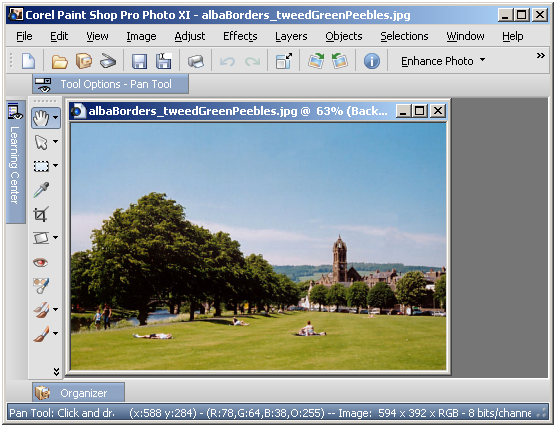
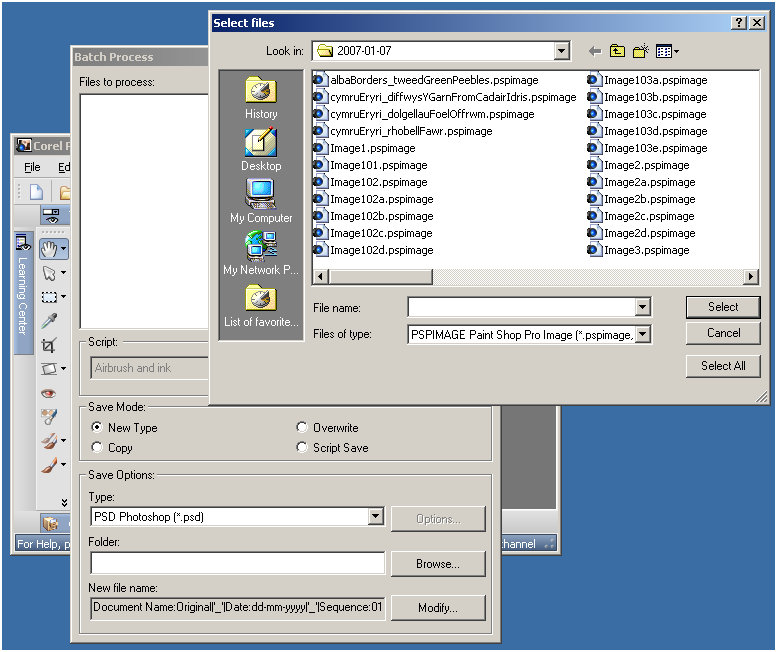
Having completed my evaluation of Corel's Paint Shop Pro (a.k.a. PSP) Photo XI, I dutifully uninstalled it from my system. However, on catching up with some files that I had acquired through the application, I found that I could not open them with its forbear PSP 9. From this, I would have to conclude that Corel made a change to PSP's native PSPIMAGE file format along the way. Having had Windows 2000 installed in a VMware virtual machine, I got back PSP XI to batch convert the files into PSD (Photoshop's own file format) and TIFF files for the future. Carrying out the conversion was easy enough thanks to being able to select files according to their file type, something that Adobe could do with bringing into Photoshop Elements; it's not there even in the latest version.
Post titles on Technorati
28th January 2007
I have had a look at how the posts from this blog are listed on Technorati and most if not all the titles are coming through as "Permalink". I was going to try WordPress.com support, but they are off for the weekend. A trip to the WordPress.com forums was then in order and a few helpful folk put me right on this one: apparently Technorati uses the permalink titles when extracting post summaries from WordPress.com blogs and in the Andreas04 theme that I am using, these are all hard-coded as "Permalink". I have left the theme's author in on this and going to try WordPress.com feedback tomorrow. In technical terms and from what I can see, the fix needed is as follows: change title="Permalink" totitle="Permanent Link: " in the single.php, page.php and index.php files in the theme.
Buying OEM Vista?
27th January 2007
A few days ago, I mused over buying OEM Vista if/when the time came for me to do an upgrade. Then, I came to the conclusion that OEM was a no-no unless you bought it installed on a system. In an article on the PC Magazine website, things seem not to be as cut and dried as that. Apparently, the perceived wisdom is that if you are building a system for yourself, and you agree to provide all support as the system builder to yourself as the system user, then everything is OK under the licence. Also, there appears to be a trend among resellers that it is not them who are subject to the terms of the licence, but the customers who purchase the OEM software. It is all just a little bit confusing. Draw your own conclusions…
Windows Vista Upgrade Advisor
27th January 2007
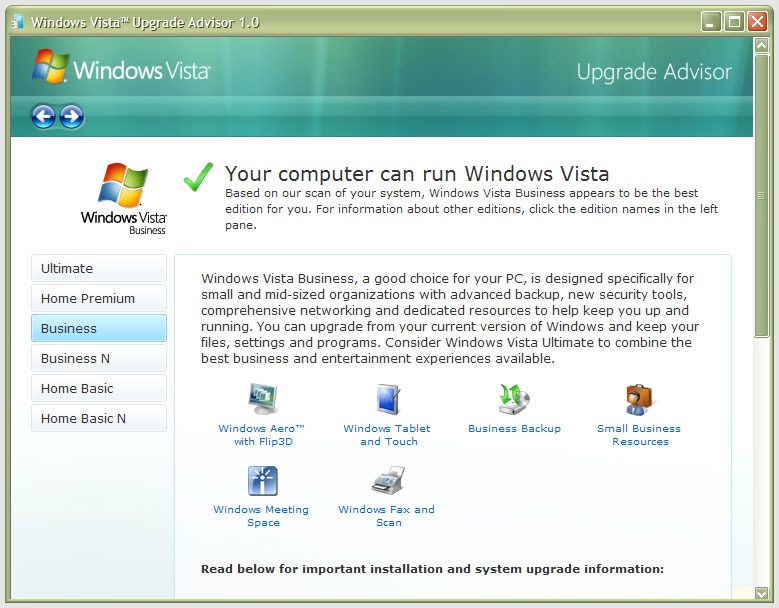 Following the arrival of Vista, some are probably planning to upgrade straight away; I think that I'll wait a while. As it happens, we are using Windows 200 at where I work and the ending of Microsoft's support for this now elderly workhorse is driving a deployment of Windows Vista across the company that is due to start in the summer, a rapid turnaround in IT terms. Given that it wants people to upgrade to keep its coffers full, Microsoft has made a tool available a tool to test for Vista readiness. Oddly, you have to install it after download. While I would have thought that a tool like this should run without installation, there you go. Running it tells you the best version of Vista for you and any actions needed on your part. Vista Business edition was suggested as best for me and the deficiencies included: hard disk space on my Windows drive, a pair of incompatible devices and a number of applications whose compatibility could not be guaranteed. Curiously, some Microsoft packages turned up on the last list. As regards hardware, my sound card and scanner are the offending items. Sound cards are cheap if that needs to be replaced, but I had onboard sound capability on my motherboard that can be instated if so required. Throwing away a perfectly good Canon scanner isn't my idea of sustainable living, so I have been on a trip to the Canon website to find out more. The good news is that a driver update sets everything in order, though there are caveats for Vista 64 bit. All in all, a Vista upgrade is a goer.
Evaluating Photoshop Elements 5 after having been a user of Paint Shop Pro
26th January 2007
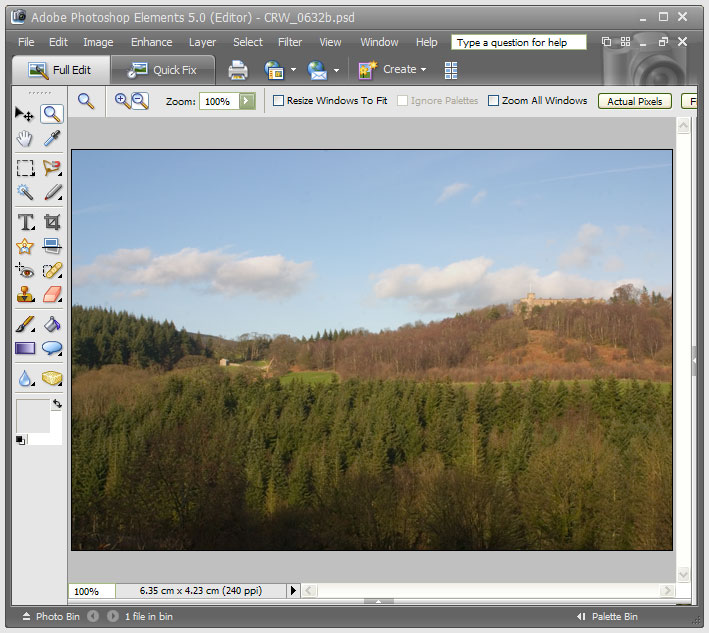
After having a trial version of Corel’s Paint Shop Pro Photo XI on evaluation, I have now moved on to the latest version of Adobe’s Photoshop Elements. Thanks to the digital photography revolution, image editing has become a lot more user-friendly these days. This is no doubt down to companies realising that investing in the development of this class of software does yield a return, and the development effort is progressing things very nicely indeed.
My first exposure to image editing was with Corel’s PhotoPaint, a low profile application that did what I asked of it while guzzling as much of what little memory my PC had in those days (32 MB first, then 64 MB). Paint Shop Pro 5, a popular tool of shareware origins, replaced this, though I must admit that I did briefly encounter the ubiquitous Photoshop at this stage. The PSP commitment continued through versions 7 and 9; though it is only in the later versions that photo processing began to be a significant part of the functionality. PSP XI has taken this further and has add-on tools like SnapFire for downloading photos from cameras. It does feature screen calibration as well, but I found that photos appeared very pale when using the calibrated workspace; maybe I set it up wrong. That said, its assistance in setting the brightness and contrast of my monitor was most useful. Until then, I hadn’t realised the details that I had been missing.
Nevertheless, Adobe’s Photoshop Elements has been able to inspire a certain level of confidence that PSP doesn’t. Even PE 2, which I got bundled with my Canon EOS 10D SLR, had that little extra when compared with PSP 9. For instance, it was PE where I saw the real power of the clone stamping tool. That different in air of confidence also extends to the latest generation.
So, I have found PE 5 worked quickly and that it became easy to generate good results. Features like the levels tool and “Save for the Web” are things that I have found very useful. There are a few minor disappointments, such as not showing the pixel size of the image being edited, a very useful feature of PSP. A bit of clarity around image resizing would also be nice, but I suspect that I may just need to learn a little more. Overall, its speed when it comes to creating nice results swings me away from PSP and may ultimately put paid to any loyalty that I may have owed to Corel’s image editor for the masses. While I think that I will have a go with its big brother, it looks as if I may well acquire PE 5 on a more permanent basis.
New domain name
25th January 2007
I have registered the domain technologytales.com for this blog yesterday and have since got the DNS configuration completed. I used Easily.co.uk for the registration; they also host my other domain name and have done so since I first registered it. Easily allowed me to transfer to the WordPress.com namespace servers and $10 secured the rest of the setting up and $10 every year at renewal time with keep things in place. There is more about doing all of this on the WordPress FAQ.
Vista is coming…
24th January 2007
2007-01-30 (next Tuesday) is given as the date for Windows Vista's launch to the wider world. It's an expensive beast, so I think that I'll wait for a while and take the plunge when all the hype has died down. When compared with retail prices, it appears that a TechNet Plus subscription would be a good move, particularly as it would be useful to have an awareness of up-and-coming Microsoft Technology for my work. However, what looks really tempting is the OEM option. There are caveats with this, especially since Microsoft changed the licensing arrangements so that OEM Windows should only be bought installed on a complete PC. This has always been the case with its server and office software, but buying a component such as a CPU or hard drive once was sufficient for OEM Windows. I suppose that I'll keep waiting then...
Office 2007 on test…
23rd January 2007
With its imminent launch and having had a quick at one of its beta releases, I decided to give Office 2007 a longer look after it reached its final guise. This is courtesy of the demonstration version that can be downloaded from Microsoft’s website; I snagged Office Standard which contains Word, Excel, PowerPoint and Outlook. Very generously, the trial version that I am using gives me until the end of March to come to my final decision.
And what are my impressions? Outlook, the application from the suite that I most use, has changed dramatically since Outlook 2002, the version that I have been using. Unless you open up an email in full screen mode, the ribbon interface so prevalent in other members of the Office family doesn’t make much of an appearance here. The three-paned interface taken forward from Outlook 2003 is easy to get around. I especially like the ability to collapse/expand a list of emails from a particular sender: it really cuts down on clutter. The ZoneAlarm anti-spam plug-in on my system was accepted without any complaint, as were all of my PST files. One thing that needed redoing was the IMAP connection to my FastMail webmail account, but that was driven more by Outlook warning messages than by necessity from a user experience point of view. Though I have still to get my Hotmail account going, I lost that connection when still using Outlook 2002, and after I upgraded to IE7.
What do I make of the ribbon interface? As I have said above, Outlook is not pervaded by the new interface paradigm until you open up an email. Nevertheless, I have had a brief encounter with Word 2007 and am convinced that the new interface works well. It didn’t take me long to find my way around at all. In fact, I think that they have done an impressive job with the new main menu triggered by the Office Button (as Microsoft call it) and got all sorts of things in there; the list includes Word options, expanded options for saving files (including the new DOCX file format, of course, but the doc format has not been discarded either) and a publishing capability that includes popular blogs (WordPress.com, for instance) together with document management servers. Additionally, the new zoom control on the bottom right-hand corner is much nicer than the old dropdown menu. As regards the “ribbon”, this is an extension of the tabbed interfaces seen in other applications like Adobe HomeSite and Adobe Dreamweaver, the difference being that the tabs are the only place where any function is found because there is no menu back up. There is an Add-ins tab that captures plug-ins to things like Adobe Distiller for PDF creation. Macromedia in its pre-Adobe days offered FlashPaper for doing the same thing, and this seems to function without a hitch in Word 2007. Right-clicking on any word in your document not only gives you suggested corrections to misspellings but also synonyms (no more Shift-F7 for the thesaurus, though it is still there is you need it) and enhanced on-the-spot formatting options. A miniature formatting menu even appears beside the expected context menu; I must admit that I found that a little annoying at the beginning, but I suppose that I will learn to get used to it.
My use of Outlook and Word will continue, the latter’s blogging feature is very nice, but I haven’t had reason to look at Excel or PowerPoint in detail thus far. From what I have seen, the ribbon interface pervades in those applications too. Even so, my impressions of the latest Office are very favourable. The interface overhaul may be radical, yet it does work. Though their changing the file formats is a more subtle change, it does mean that users of previous Office versions will need the converter tool in order for document sharing to continue. Office 97 was the last time when we had to cope with that, and it didn’t seem to cause the world to grind to a halt.
Will I upgrade? I have to say that it is very likely given what is available in Office Home and Student edition. While that version misses out on having Outlook, the prices mean that even buying Outlook standalone to compliment what it offers remains a sensible financial option. Having a look at the retail prices on dabs.com confirms the point:
Office Home and Student Edition: £94.61
Office Standard Edition: £285.50
Office Standard Edition Upgrade: £175.96
Outlook 2007: £77.98
Having full version software for the price of an upgrade appeals to me, and it is likely to be the route that I take, if I replace the Office XP Standard Edition installation that has been my mainstay over the last few years. Having been on a Windows 95 > Windows 98 > Windows 98 SE > Windows ME upgrade treadmill and endured the hell raised when reinstallation becomes unavoidable, the full product approach to getting the latest software appeals to me over the upgrade pathway. In fact, I bought Windows XP Professional as the full product to start afresh after moving on from Windows 9x.