TOPIC: UBUNTU
Cross-platform font compatibility challenges for web developers
 6th November 2007
It's when you pop from one operating system to another that you realise how operating system specific it is that fonts are. For instance, only one of the names in the following list are understood by Firefox on Ubuntu, the last one: Trebuchet MS, Lucida Grande, Verdana, Arial, Sans-Serif. The reason that San-Serif is understood is that it's a general font class name in the world of CSS. However, that does not mean that you still are not at the mercy of operating system fonts. In fact, font sizes vary and 16px in one font isn't the same as 16px in another; that can mean broken layouts if you are sufficiently clumsy.
As it happens, the main menu bar on my hillwalking blog should all fit on one line, yet it took up two lines when viewed on Linux. If it did that neatly, there wouldn't be much of a problem, but it didn't. While some CSS hacking could have repaired the situation, I went for a simpler solution for now: picking a Linux sans serif font that fitted the bill better. So popping in mentions of "Nimbus Sans L" in appropriate places in my stylesheet was the way that I went. Since I don't know how this appears in other Linux distributions, the wonders of virtualisation should allow me to find out.
If I was really concerned about the fonts that were being used, I could have gone with a server-side approach: embedded fonts. I haven't tried this for a while but differing browser support was a major issue when I did: you had to create a set of files for IE and for Netscape when I was investigating such things, hardly convenient even in those days when Opera was merely a speck on the horizon and Mozilla was nascent. Though it's a valid approach for those exclusive fonts, so is questioning why you are using them in the first place. Adobe's Flash is another option for those who obsess with fonts, though how users take to this remains an open question, as does the accessibility of the approach.
For now, I plan to continue evaluating how applications appear across different operating systems. For this purpose, virtualisation serves as an excellent tool, as do Live CDs. The latter is particularly useful for Linux distributions which the former has application with more scenarios: names OpenSolaris and, with a spot of tinkering, OS X come to mind. This presents an appealing concept, especially considering Firefox has essentially become a cross-platform standard in today's computing environment. Mind you, seeing how websites are rendered by Safari running on OS X might be of interest to some.
Looking at from the user's point of view rather than the web developer's, there remains a question regarding the visiting of websites that break because of the font conundrum. If you find this happening to you a lot, it may be an idea to bring in some TrueType or OpenType fonts. With Ubuntu, this is straightforward: fire up Synaptic, search for msttcorefonts and install that package along with any of its dependencies. Logging off from and on to the system will make the new fonts available. There was a time when more work was needed than that...
Turning the world on its head: running VMware on Ubuntu
2nd November 2007
When Windows XP was my base operating system, I used VMware Workstation to peer into the worlds of Windows 2000, Solaris and various flavours of Linux, including Ubuntu. Now that I am using Ubuntu instead of what became a very flaky XP instance, VMware is still with me, which I am using it to keep a foot in the Windows universe. In fact, I have Windows 2000 and Windows XP virtual machines available to me that should supply my Windows needs.
An evaluation version of Workstation 6 is what I am using to power them and I must admit that I am likely to purchase a licence before the evaluation period expires. Installation turned out to be a relatively simple affair, starting with my downloading a compressed tarball from the VMware website. The next steps were to decompress the tarball (Ubuntu has an excellent tool, replete with a GUI, for this) and run vmware-install.pl. I didn't change any of the defaults and everything was set up without a bother.
In use, a few things have come to light. The first is that virtual machines must be stored on drives formatted with EXt3 or some other native Linux file system rather than on NTFS. Do the latter, and you get memory errors when you try starting a virtual machine; I know that I did and that every attempt resulted in failure. After a spot of backing up files, I converted one of my SATA drives from NTFS to Ext3. For sake of safety, I also mounted it as my home directory; the instructions on Ubuntu Unleashed turned out to be invaluable for this. I moved my Windows 2000 VM over and it worked perfectly.
Next on the list was a series of peculiar errors that cam to light when I was attempting to install Windows XP in a VM created for it. VMware was complaining about a CPU not being to run fast enough; 2 MHz was being stated for an Athlon 64 3000+ chip running at 1,58 GHz! Clearly, something was getting confused. Also, my XP installation came to a halt with a BSOD stating that a driver had gone into a loop, with Framebuf fingered as the suspect. I was seeing two symptoms of the same problem and its remedy was unclear. A message on a web forum put the idea of rebooting Ubuntu into my head, and that resolved the problem. For now, I'll be keeping an eye on it, though.
Otherwise, everything seems to be going well with this approach, and that's an encouraging sign. It looks as if my current Linux-based set up is one with which I am going to stay. This week has been an interesting one already, and I have no doubt that I'll continue to learn more as time goes on.
Ubuntu: an appraisal of hardware support
31st October 2007
After a painless start with Ubuntu, I have been able to overcome the obstacles placed in my way thus far. In fact, it is certain to yield a goodly number of blog posts, never a bad thing from my point of view. And so to this instalment...
For this post, I'll stick with the hardware side of things. Compared with previous voyages into the Linux universe, I have not encountered any "brick walls" placed in my path. Though audio support was one bugbear in the past, Ubuntu simply took care of that with no intervention from me. Then, I popped in a CD and music was played back to me, leaving me with the same confidence with MP3 files. In the same way, graphics were set up to my liking with having to lift a finger; while there is a proprietary ATI driver available, I'll stick with the standard set up since it easily works well enough for me. Printer set up needed a prod from my end, but it got on with things and found my HP LaserJet 1018 with nary a bother and all was set up rapidly. All other items of hardware but one scarcely merit a mention, so seamless was their detection and set up.
The one piece of hardware that made me work was my Epson Perfection 4490 Photo scanner. Though it wasn't supported out of the box, a spot of googling was all that it took to find out how to set things to rights. In fact, the best answer turned out to be on Ubuntu's forum, hardly a surprise really. The step-by-step instructions sent me over to Epson's repository of open source Linux drivers for the correct files; I did need to make sure I wasn't selecting 4990 in place of 4490, a straightforward thing to do. I snagged Debian RPM's and used alien to convert them to DEB files. Running dpkg as root did the installation and quick checks with the sane-find-scanner and scanimage commands revealed that all was well, to my clear relief.
Hardware support has always been an Achilles heel for Linux but, based on this experience, the Linux community seem to be more on top of it than ever before. The proprietary nature of the devices is an ever present challenge for driver developers, so getting as far as they have is an impressive achievement. It's a long way from roadblocks due to tempestuous support of modems, sound cards, printers and scanners and I seem to have got over the biggest hurdle on my Linux journey this time around.
Switching from Windows XP to Ubuntu
30th October 2007
After a pretty rotten weekend attempting to keep Windows XP running, I finally lost the will to persevere and began yearning for stability. That has taken me into the world of Ubuntu; I am writing this in Firefox running on the said Linux distribution. Thanks to the wonders of VMware, I have been able to observe the swish and slick nature of Ubuntu, and I must that it did sway me. Installation has been slick and efficient and is a dream compared to XP, let alone previous Linux incarnations that I have encountered over the years. Start up is also speedy. All in all, there appears to be a certain confidence about the OS that was sadly absent from my Windows experience in recent times.
Still, I am not deserting the world of Windows completely, though. As it happens, I installed Ubuntu on a spare hard drive that I had, so the Windows installation is still out there. In addition, VMware virtual machines should allow me to stay in there without the ever present risk of a PC getting rendered inoperable. There is also the unfinished business of making myself at home on Ubuntu, hopefully without my wrecking anything. I have yet to give my hardware a full workout to check that all is well. Setting up a web development capability is also on the cards, as is getting those virtual machines. Assuming that there are no showstoppers, it could be an interesting ride.
A perspective on Linux
8th February 2007
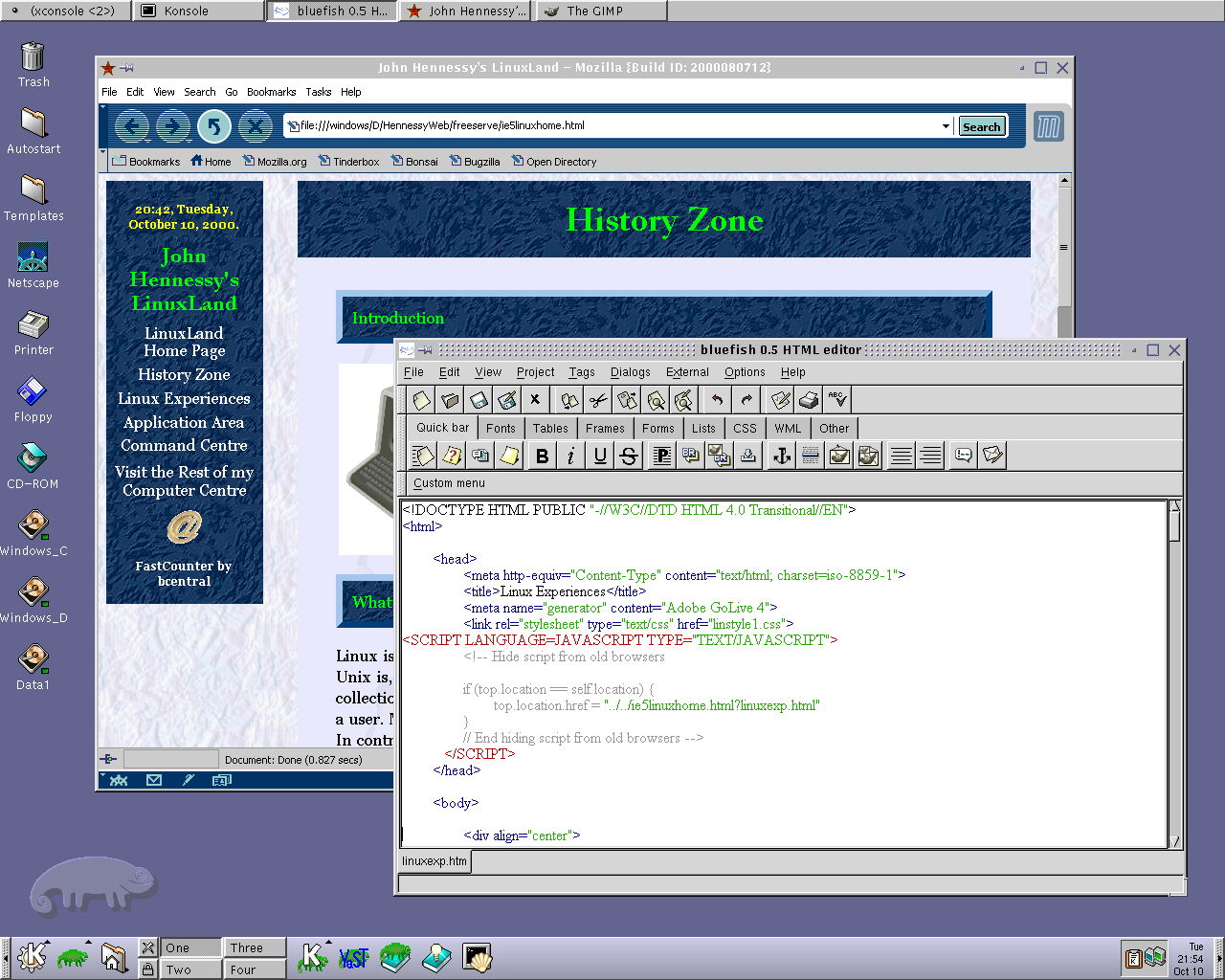
Recently, I have revisited an old website that I used to have online in and around 2000 that has since been retired for a while. One thing that it had in common with this blog was its focus on computer technology. While I don’t remember blogging being bandied about as a term back then, a weblog would have fulfilled the site’s much better. One of the sections of this old world website was dedicated to Linux and UNIX; this was where I collected and shared experienced my experiences of these. These days, unless it is held in some cache somewhere (rather unlikely, I think), the only place that it is found is what I bundled together in a tar.gz file for transfer to Linux. Irony strikes…
Back then, my choice of Linux was SuSE 6.2, followed by 6.4 from PC Plus DVD. It was the first, and only, Linux distro that I bought after exploring a selection of distros from cover-mounted CD’s in books and magazines. While I did like it, it wasn’t enough to tempt me away from Windows. I had issues with hardware, and they got in the way of a move. Apart from what some might judge to be clunkiness, there were fewer impediments on the software side.
I am a DIY system builder and there were issues with Linux support of my hardware, particularly my modem. Rather than being in possession of all the electronic wherewithal that a full modem would need, it got the operating system to do some of the work. The trouble was that this locked you into using Windows, hence its Winmodem moniker. Besides this, my Zip drive was vital to me and SuSE didn’t support it out of the box: a kernel recompilation was in order and could involve losing any extensions that SuSE had actually added. Another foible was non-support of a now obsolete UDMA 66 expansion card.
But improvements in hardware support were coming on the scene. Support for printing with CUPS, scanning with SANE and audio with ALSA was coming along nicely and has matured nicely. Apart from cases where vendors refuse to help the Open-Source community and bleeding-edge hardware that needs drivers to recoded according to the demands of GPL, things have come a long, long way.
Software-wise, the only thing holding me from migrating to Linux was my use of Microcal (now OriginLab) Origin, a scientific data visualisation and analysis package that was invaluable for my work. Even then, that could be run using WINE, the Windows API library for Linux. OpenOffice could easily have replaced MS Office for my purposes, unless formula editing was a feature outstanding from the specification. GIMP, once I had ascended the learning curve, would have coped with my graphics processing needs. After committing myself to non-visual web development, Bluefish and Quanta+ would have fulfilled my web development needs. Web technologies such as Perl, PHP, Apache and SQL have always been very much at home on Linux, so no issue there. At that stage, experimenting with these was very much in my future. Surprisingly, web browsing wasn’t that strong in Linux then. Mozilla was still in the alpha/beta development phase and needed many rough ends sorting, while the dreadful Netscape 4 was in full swing with offerings like nautilus coming on stream. Typography support was another area of development at the time, which fed through into how browsers rendered web pages. Downloading and compiling xfstt did resolve the situation.
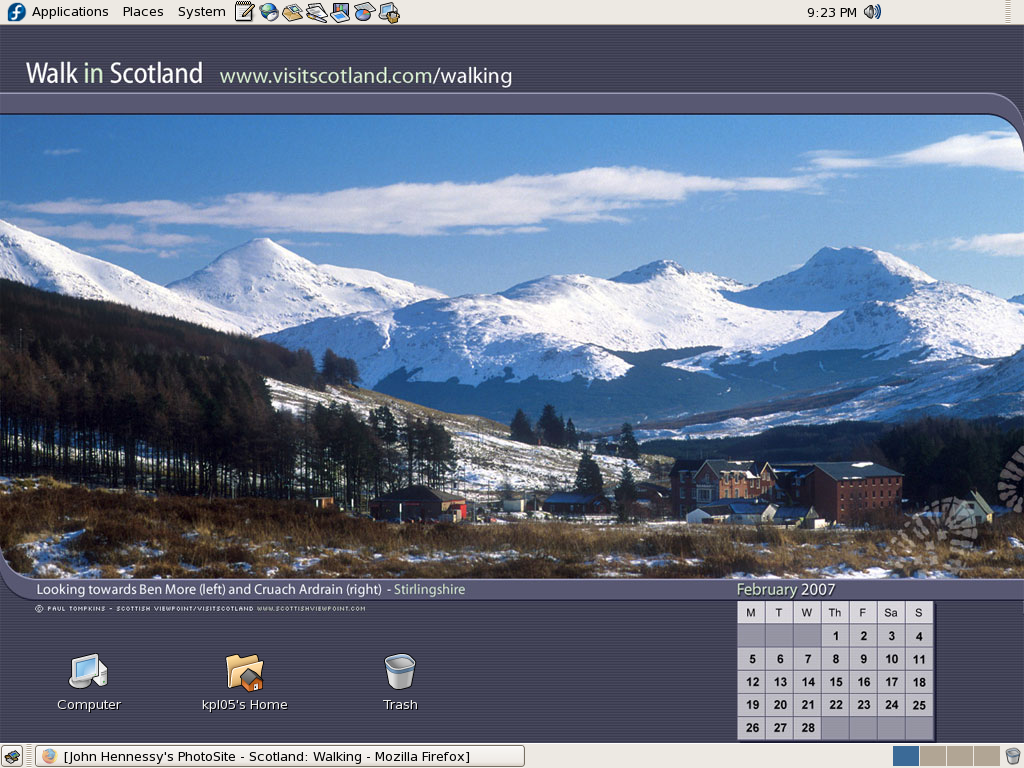
These days, I have virtual machines set up for Ubuntu, Fedora Core and Mandriva while openSUSE is another option. I spent Saturday night poking around in Fedora (I know, I should have better things to be doing…) and it feels very slick, a world away from where Red Hat was a decade ago. The same applies to Ubuntu, which is leagues ahead of Debian, on which it is based. With both of these, you get applications for updating the packages in the distribution; not something that you might have seen a few years ago. Support for audio and printing comes straight out of the box. I assume that scanner and digital camera support are the same; they need to be. Fedora includes the virtual machine engine that is Xen. I am intrigued by this but running a VM within a VM does seem peculiar. Nevertheless, if that comes off, it might be that Fedora goes onto my spare PC with Windows loaded onto one or more virtual machines. It’s an intriguing idea and having Fedora installed on a real PC might even allow me to see workspaces changed onscreen as if they were the sides of a cube, very nice. Mandriva also offers the same visual treat, but is not a distro that I have been using a lot. The desktop environment may be KDE rather than Gnome as it is in the others, but all the same features are on board. The irony though is that, after starting out my Linux voyage on KDE, I am now more familiar with Gnome these days and, aesthetically speaking, it does look that little better to my eye.
So, would I move to Linux these days? Well, it is supported by a more persuasive case than ever it has been, and I would have to say that it is only logistics and the avoidance of upheaval that is stopping me now. If I were to move to Linux, then it would be by reversing the current situation: going from Linux running in a VM on Windows to Windows running in a VM on Linux. Having Windows around would be good for my personal education and ease the upheaval caused by the migration. Then, it would be a matter of watching what hardware gets installed.
VMware and ZoneAlarm
30th January 2007
Contrary to appearances given by this blog, I am not exclusively a Windows user. In fact, I have sampled Linux on a number of occasions in the past and I use VMware to host a number of different distributions – my Ubuntu installation is updating itself as I write this – as I like to keep tabs on what is out there. I also retain a Windows 2000 installation for testing, and have had a virtual machine hosting a test release of Vista not so long ago. I also have my finger in the UNIX world with an instance of OpenSolaris, though it is currently off my system thanks to my wrecking its graphics set up. However, ZoneAlarm has been known to get ahead of itself and start blocking VMware. If you go having a look on the web, there is no solution to this beyond a complete system refresh (format the boot drive and reinstall everything again) and I must admit that this sounds like throwing out bath, baby and bathwater together. I did find another approach, though: removing ZoneAlarm and reinstalling it. This wipes all its remembered settings, including the nefarious one that conflicted with VMware in the first place. It's remarkable that no one else has considered this, but it has worked for me, and having to have the security software relearn everything again is much less painless than rebuilding your system.