TOPIC: LINUX DISTRIBUTIONS
Navigating multiple workspaces: A Linux and UNIX advantage over Windows?
 16th November 2007
One of the nice things about the world of Linux and UNIX is the availability of multiple workspaces. In Window, you only ever get one, and the likes of me can easily fill up that task bar. So the idea of parcelling off different applications to different screens is useful from a housekeeping point of view so long as icons only appear in the task bar for the open workspace; Ubuntu respects this but openSUSE doesn't, a possible source of irritation.
However, a case can be made that UNIX/Linux needs workspaces more than Windows because of the multi-window interfaces of some of the software applications. The trouble with each of these sub-windows is that an entry appears in the task bar for each of this, rapidly creating a mess. And it can also be an issue working out which window closes the lot.
Examples of the above that come to my mind include GIMP, XSane and SAS. The Windows version of the latter's DMS is confined to a single application window while the UNIX incarnation is composed of a window each for individual components like program editor, log, output, etc. Typing "bye" in the command line of the program editor is enough to dispatch the GUI. With GIMP, Ctrl+Q will close it down in any window, apart from the "Tip of the Day" one that pops up when GIMP is started. The same sort of behaviour also seems to dispatch XSane too.
Switching from one workspace to another is as easy as clicking the relevant icon in the task bar in all the UNIX variants that I have used. Switching an application from one workspace to another has another common thread: finding the required entry in the application window menu.
On Ubuntu, I have seen other ways of working with workspaces. In the interface with visual effects turned off, hovering over the workspace icons in the task bar allows you to move from one to another with the wheel of your mouse. Moving an application between workspaces can be done as simply as dragging boxes from one task bar icon to another. Turning on the visual effects changes things, though. It might appear that the original functionality still works, but that seems not to be the case: a matter for Canonical to resolve, perhaps?
The visual effects do provide other ways around this, though. Keeping all your application windows minimised means that you can run through workspaces themselves with your wheel mouse. Moving applications between workspaces becomes as simple as grabbing the title bar and pulling the window left or right until it changes workspace. Be careful that you do the job fully, though, or you could have an application sitting astride two workspaces. It would appear that ideas from the sharing of a desktop across multiple monitors have percolated through to workspace behaviour.
Aside (regarding Ubuntu visual effects): I don't know who came up with the idea of having windows wobble when they're being moved around, but it certainly is unusual, as is seeing what happens when you try prising a docked window from its mooring (particularly when you're pulling it up from the bottom task bar). The sharper font display and bevelled screen furniture make more sense to me, though; they certainly make a UI more appealing and modern.
BBC Radio Player and Linux
13th November 2007
It's been a while since I mentioned anything that might be aurally related, and then this rears its head. The Xine plugin beloved by the instance of Firefox on my Ubuntu box simply refuses to play ball with the BBC's Listen Again feature; 6Music shows are what I am trying to catch later. RealPlayer is on the system, but Firefox simply refuses to locate it. On its own, it plays live radio from the BBC and Ireland's Today FM but, unless I need to do some digging, that's not much use for the Listen Again service. It may be some hard-wiring done by Canonical as part of their packaging of Firefox: might be related to their preference for Free Software. If I can be bothered, I might replace it with the usual version to see if RealPlayer can be picked up: I do seem to remember reading somewhere that this was a possibility...
Yes, I could use one of my Windows VM's, but I have found another way courtesy of openSUSE 10.3. No, I haven't changed Linux distro, yet the reason that openSUSE has made a sudden appearance on this blog in recent times has got to do with my acquiring a copy of the latest issue of Linux Magazine. It came emblazoned with a DVD containing both 32-bit and 64-bit variants of openSUSE's latest version and, wanting to have a look at how KDE appears these days, I knocked up a VM and installed the 32-bit variant thereupon.
Unexpectedly, that has afforded a Linux solution to my BBC Radio Player conundrum. openSUSE's Firefox instance can find RealPlayer once you have it installed. That process involves a spot more work than if it was Free Software: you need to add an extra software repository to YaST (openSUSE's configuration utility). The breadcrumb trail is YaST -> Software -> Software Repositories and hitting the Add button fires up a wizard that needs the following settings to set things up as needed:
Protocol: http
Server Name: download.opensuse.org
Directory on server: /distribution/10.3/repo/non-oss/suse/
Authentication: anonymous
Once the new repository was set up (I named it Non-OSS), I found the RPM and YaST took care of the rest. So, what started out as an exercise in curiosity has now found a use. While network traffic may cause playback to stutter, I have what I want without once starting up Windows. Sorting out Ubuntu may happen, but it is a lesser priority and I don't want to disrupt my computing environment in any event.
Setting up openSUSE in VMware Workstation
12th November 2007
While it should have been as straightforward as following the instructions on the openSUSE website, a bug in VMware Tools derailed things for me. The usual procedure would have you starting by selecting Install VMware Tools from the VM menu before popping into the virtual machine to do the rest. Once binutils, gcc, gcc-c++, kernel-source and make are in place, the next steps should involve using YaST to install the RPM for you to run the vmware-config-tools.pl script from the terminal.
However, a bug in compat_slab.h puts a stop to any hopes of installing the vmhgfs component. That's needed if you like to enable the shared folders feature; looking in /mnt/hgfs then would get you to any shared folders. While everything else will be there, why miss out on one piece of functionality when it comes in useful?
Having found a useful thread on the subject, here's my way forward: it is as the expected procedure up to the point of installing the RPM. With VMware Tool installation on a Linux guest, you have two options: use RPM as described or use the compressed tarball. The latter seems the better course. Extract the contents into a folder and navigate to that folder. When there, go into vmware-tools-distrib/lib/modules/source and extract the file vmhgfs.tar. Proceed into the resulting vmhgfs-only contained wherever you put it and perform the following edit of compat_slab.h:
Change
#if LINUX_VERSION_CODE < KERNEL_VERSION(2, 6, 22) || defined(VMW_KMEMCR_HAS_DTOR)
to
#if LINUX_VERSION_CODE <= KERNEL_VERSION(2, 6, 22) || defined(VMW_KMEMCR_HAS_DTOR)
After that, recreate and replace vmhgfs.tar before issuing the following command in the terminal window while in the vmware-tools-distrib directory: ./vmware-config-tools.pl (anything prefixed with "./" picks up the file from the current working directory rather than where system binaries are stored). Though a kernel compilation will be involved, all the defaults should be sensible. Hopefully, all will work well after this.
Update: I am left with a number of outstanding issues that I need to resolve. Lack of internet access from the VM is one of them, and a constant forgetfulness regarding the nationality of my keyboard (it's British) might be another. In the interim, I have removed VMware tools until I can spend some time setting these to rights. That means internet access has returned, and the British keyboard layout is being interpreted correctly for now...
Choices, choices…
10th November 2007
While choice is a great thing, too much of it can be confusing, and the world of Linux is a one very full of decisions. The first of these centres around the distro to use when taking the plunge; you quickly find that there can be quite a lot to it. In fact, it is a little like buying your first SLR/DSLR or your first car: you only really know what you are doing after your first one. Putting it another way, you only know how to get a house built after you have done just that.
With that in mind, it is probably best to play a little on the fringes of the Linux world before committing yourself. It used to be that you had two main choices for your dabbling:
- using a spare PC
- dual booting with Windows by either partitioning a hard drive or dedicating one for your Linux needs.
In these times, innovations such as Live CD distributions and virtualisation technology keep you away from such measures. In fact, I would suggest starting with the former and progressing to the latter for more detailed perusal; it's always easy to wipe and restore virtual machines anyway, so you can evaluate several distros at the same time if you have the hard drive space. It also a great way to decide which desktop environment you like. Otherwise, terms like KDE, GNOME, XFCE, etc. might not mean much.
The mention of desktop environments brings me to software choices because they do drive what software is available to you. For instance, the Outlook lookalike that is Evolution is more likely to appear where GNOME is installed than where you have KDE. The opposite applies to the music player Amarok. Nevertheless, you do find certain stalwarts making a regular appearance; Firefox, OpenOffice and the GIMP all fall into this category.
The nice thing about Linux is that distros more often than not contain all the software that you are likely to need. However, that doesn't mean that it is all on the disk and that you have to select what you need during the installation. Though there might have been a time when it might have felt like that, my recent experience has been that a minimum installation is set in place that does all the basics for you to easily add the extras later on an as needed basis. I have also found that online updates are a strong feature too.
Picking up what you need when you need it has major advantages, the big one being that Linux grows with you. You can add items like Apache, PHP and MySQL when you know what they are and why you need them. It's a long way from picking applications of which you know very little at installation time and with the suspicion that any future installation might land you in dependency hell while performing compilation of application source code; the temptation to install everything that you saw was a strong one. The "learn before you use" approach favoured by how things are done nowadays is an excellent one.
Even if life is easier in the Linux camp these days, there is no harm in sketching out your software needs. Any distribution should be able to fulfil most if not all of them. As it happened, the only third party application that I have needed to install on Ubuntu without recourse to Synaptic was VMware Workstation, and that procedure thankfully turned out to be pretty painless.
A fallback installation routine?
9th November 2007
In a previous sustained spell of Linux meddling, the following installation routine was one that I encountered rather too often when RPM's didn't do what I required of them (having a SUSE distro in a world dominated by a Red Hat standard didn't make things any easier...):
tar xzvf progname.tar.gz; cd progname
The first part of the command extracts from a tarball compressed using gzip and the second one changes into the new directory created by the extraction. For files compressed with bzip use:
tar xjvf progname.tar.bz2; cd progname
The command below configures, compiles and installs the package, running the last part of the command in its own shell.
./configure; make; su -c make install
Yes, the procedure is a bit convoluted, but it would have been fine if it always worked. My experience was that the process was a far from foolproof one. For instance, an unsatisfied dependency is all that is needed to stop you in your tracks. Attempting to install a GNOME application on a KDE-based system is as good a way to encounter this result as any. Other horrid errors also played havoc with hopeful plans from time to time.
It shouldn't surprise you to find that I will be staying away from the compilation/installation business with my main Ubuntu system. Synaptic Package Manager and its satisfactory dependency resolution fulfil my needs well and there is the Update Manager too; I'll be leaving it for Canonical to do the testing and make the decisions regarding what is ready for my PC as they maintain their software repositories. My past tinkering often created a mess, and I'll be leaving that sort of experimentation for the safe confines of a virtual machine from now on...
Ubuntu: an appraisal of hardware support
31st October 2007
After a painless start with Ubuntu, I have been able to overcome the obstacles placed in my way thus far. In fact, it is certain to yield a goodly number of blog posts, never a bad thing from my point of view. And so to this instalment...
For this post, I'll stick with the hardware side of things. Compared with previous voyages into the Linux universe, I have not encountered any "brick walls" placed in my path. Though audio support was one bugbear in the past, Ubuntu simply took care of that with no intervention from me. Then, I popped in a CD and music was played back to me, leaving me with the same confidence with MP3 files. In the same way, graphics were set up to my liking with having to lift a finger; while there is a proprietary ATI driver available, I'll stick with the standard set up since it easily works well enough for me. Printer set up needed a prod from my end, but it got on with things and found my HP LaserJet 1018 with nary a bother and all was set up rapidly. All other items of hardware but one scarcely merit a mention, so seamless was their detection and set up.
The one piece of hardware that made me work was my Epson Perfection 4490 Photo scanner. Though it wasn't supported out of the box, a spot of googling was all that it took to find out how to set things to rights. In fact, the best answer turned out to be on Ubuntu's forum, hardly a surprise really. The step-by-step instructions sent me over to Epson's repository of open source Linux drivers for the correct files; I did need to make sure I wasn't selecting 4990 in place of 4490, a straightforward thing to do. I snagged Debian RPM's and used alien to convert them to DEB files. Running dpkg as root did the installation and quick checks with the sane-find-scanner and scanimage commands revealed that all was well, to my clear relief.
Hardware support has always been an Achilles heel for Linux but, based on this experience, the Linux community seem to be more on top of it than ever before. The proprietary nature of the devices is an ever present challenge for driver developers, so getting as far as they have is an impressive achievement. It's a long way from roadblocks due to tempestuous support of modems, sound cards, printers and scanners and I seem to have got over the biggest hurdle on my Linux journey this time around.
Switching from Windows XP to Ubuntu
30th October 2007
After a pretty rotten weekend attempting to keep Windows XP running, I finally lost the will to persevere and began yearning for stability. That has taken me into the world of Ubuntu; I am writing this in Firefox running on the said Linux distribution. Thanks to the wonders of VMware, I have been able to observe the swish and slick nature of Ubuntu, and I must that it did sway me. Installation has been slick and efficient and is a dream compared to XP, let alone previous Linux incarnations that I have encountered over the years. Start up is also speedy. All in all, there appears to be a certain confidence about the OS that was sadly absent from my Windows experience in recent times.
Still, I am not deserting the world of Windows completely, though. As it happens, I installed Ubuntu on a spare hard drive that I had, so the Windows installation is still out there. In addition, VMware virtual machines should allow me to stay in there without the ever present risk of a PC getting rendered inoperable. There is also the unfinished business of making myself at home on Ubuntu, hopefully without my wrecking anything. I have yet to give my hardware a full workout to check that all is well. Setting up a web development capability is also on the cards, as is getting those virtual machines. Assuming that there are no showstoppers, it could be an interesting ride.
From real to virtual…
9th February 2007
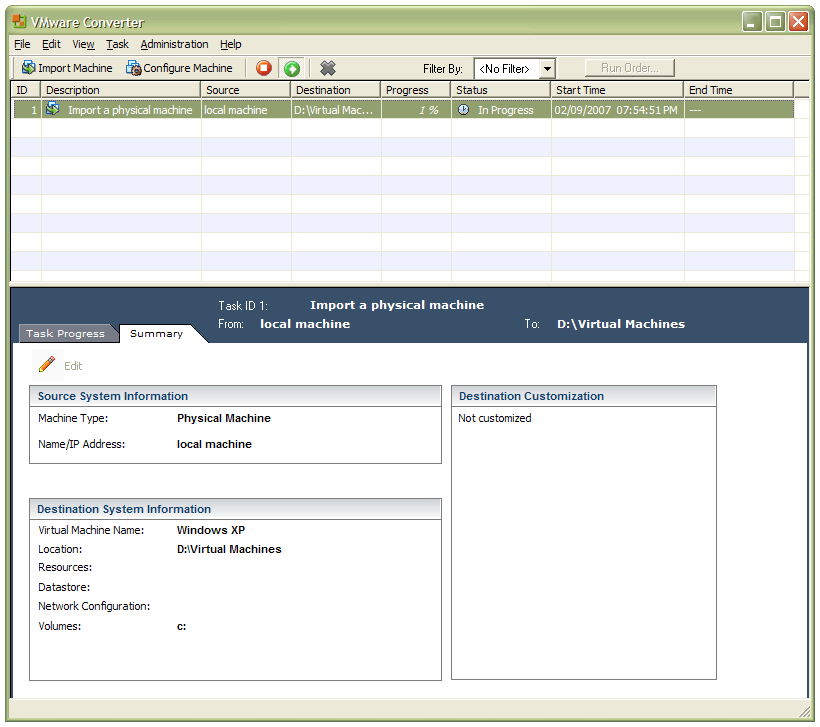
In a previous entry, I mused over a move from Windows to Linux, a suggestion being that Fedora Core Linux would be my base operating system with Windows installed in a Xen virtual machine. That, of course, led me to wonder how I would swap my current situation about: Linux in VM, Windows as host. Meantime, I discovered something that makes the whole process a little easier: VMware Convertor.
The Starter version can be downloaded free of charge, while the Enterprise edition comes with VirtualCenter Management Server for corporate use. What it does is to make a virtual version of a real computer, a process that takes drive imaging much, much further. I have given it a whirl and the conversion seems to go well; the only thing left is for me to fire it up in VMware Workstation - I believe that Player and Server will also run the VM that is created and, like Convertor Starter, they also can be downloaded free of charge; Workstation does everything for me, so I haven't looked beyond it, even though it did cost me money all those moons ago - and get through licence activation issues without leaving me with no authorised Windows installation.
A perspective on Linux
8th February 2007
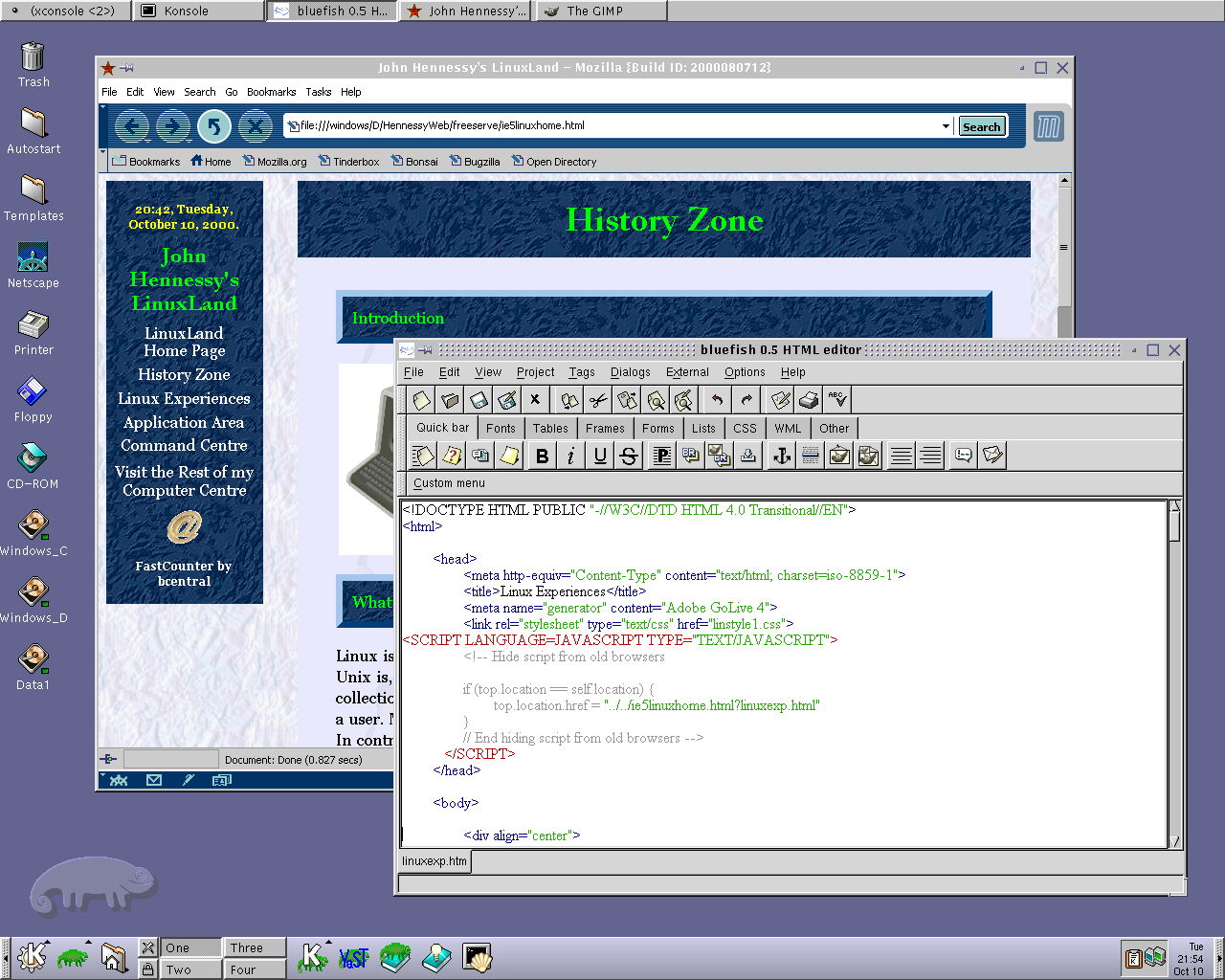
Recently, I have revisited an old website that I used to have online in and around 2000 that has since been retired for a while. One thing that it had in common with this blog was its focus on computer technology. While I don’t remember blogging being bandied about as a term back then, a weblog would have fulfilled the site’s much better. One of the sections of this old world website was dedicated to Linux and UNIX; this was where I collected and shared experienced my experiences of these. These days, unless it is held in some cache somewhere (rather unlikely, I think), the only place that it is found is what I bundled together in a tar.gz file for transfer to Linux. Irony strikes…
Back then, my choice of Linux was SuSE 6.2, followed by 6.4 from PC Plus DVD. It was the first, and only, Linux distro that I bought after exploring a selection of distros from cover-mounted CD’s in books and magazines. While I did like it, it wasn’t enough to tempt me away from Windows. I had issues with hardware, and they got in the way of a move. Apart from what some might judge to be clunkiness, there were fewer impediments on the software side.
I am a DIY system builder and there were issues with Linux support of my hardware, particularly my modem. Rather than being in possession of all the electronic wherewithal that a full modem would need, it got the operating system to do some of the work. The trouble was that this locked you into using Windows, hence its Winmodem moniker. Besides this, my Zip drive was vital to me and SuSE didn’t support it out of the box: a kernel recompilation was in order and could involve losing any extensions that SuSE had actually added. Another foible was non-support of a now obsolete UDMA 66 expansion card.
But improvements in hardware support were coming on the scene. Support for printing with CUPS, scanning with SANE and audio with ALSA was coming along nicely and has matured nicely. Apart from cases where vendors refuse to help the Open-Source community and bleeding-edge hardware that needs drivers to recoded according to the demands of GPL, things have come a long, long way.
Software-wise, the only thing holding me from migrating to Linux was my use of Microcal (now OriginLab) Origin, a scientific data visualisation and analysis package that was invaluable for my work. Even then, that could be run using WINE, the Windows API library for Linux. OpenOffice could easily have replaced MS Office for my purposes, unless formula editing was a feature outstanding from the specification. GIMP, once I had ascended the learning curve, would have coped with my graphics processing needs. After committing myself to non-visual web development, Bluefish and Quanta+ would have fulfilled my web development needs. Web technologies such as Perl, PHP, Apache and SQL have always been very much at home on Linux, so no issue there. At that stage, experimenting with these was very much in my future. Surprisingly, web browsing wasn’t that strong in Linux then. Mozilla was still in the alpha/beta development phase and needed many rough ends sorting, while the dreadful Netscape 4 was in full swing with offerings like nautilus coming on stream. Typography support was another area of development at the time, which fed through into how browsers rendered web pages. Downloading and compiling xfstt did resolve the situation.
These days, I have virtual machines set up for Ubuntu, Fedora Core and Mandriva while openSUSE is another option. I spent Saturday night poking around in Fedora (I know, I should have better things to be doing…) and it feels very slick, a world away from where Red Hat was a decade ago. The same applies to Ubuntu, which is leagues ahead of Debian, on which it is based. With both of these, you get applications for updating the packages in the distribution; not something that you might have seen a few years ago. Support for audio and printing comes straight out of the box. I assume that scanner and digital camera support are the same; they need to be. Fedora includes the virtual machine engine that is Xen. I am intrigued by this but running a VM within a VM does seem peculiar. Nevertheless, if that comes off, it might be that Fedora goes onto my spare PC with Windows loaded onto one or more virtual machines. It’s an intriguing idea and having Fedora installed on a real PC might even allow me to see workspaces changed onscreen as if they were the sides of a cube, very nice. Mandriva also offers the same visual treat, but is not a distro that I have been using a lot. The desktop environment may be KDE rather than Gnome as it is in the others, but all the same features are on board. The irony though is that, after starting out my Linux voyage on KDE, I am now more familiar with Gnome these days and, aesthetically speaking, it does look that little better to my eye.
So, would I move to Linux these days? Well, it is supported by a more persuasive case than ever it has been, and I would have to say that it is only logistics and the avoidance of upheaval that is stopping me now. If I were to move to Linux, then it would be by reversing the current situation: going from Linux running in a VM on Windows to Windows running in a VM on Linux. Having Windows around would be good for my personal education and ease the upheaval caused by the migration. Then, it would be a matter of watching what hardware gets installed.