A collection of lessons learnt about web hosting
 28th March 2008
Putting this blog back on its feet after a spot of web hosting bother caused me to learn a bit more about web hosting than I otherwise might have done. Here's a selection, and they are in no particular order:
- Store your passwords securely and where you can find them because you never know how a foul up of your own making can strike. For example, a faux pas with a configuration file is all that's needed to cause havoc for a database site such as a WordPress blog. After all, nobody's perfect and your hosting provider may not get you out of trouble as quickly as you might like.
- Get a MySQL database or equivalent as part of your package, rather than buying one separately. If your provider allows a trial period, then changing from one package to another could be cheaper and easier than if you bought a separate database and needed to jettison it because you changed from, say, a Windows package to a Linux one or vice versa.
- It might be an idea to avoid a reseller unless the service being offered is something special. Going for the sake of lower cost can be a false economy, and it might be better to cut out the middleman altogether and go direct to their provider. Being able to distinguish a reseller from a real web host would be nice, but I don't see that ever becoming a reality; it is hardly in the resellers' interests, after all.
- Should you stick with a provider that takes several days to resolve a serious outage? The previous host of this blog had a major MySQL server outage that lasted for up to three days, and seeing that was one of the factors that made me turn tail to go to a more trusted provider that I have used for a number of years. The smoothness of the account creation process might be another point worthy of consideration.
- Sluggish system support really can frustrate, especially if there is no telephone support provided and the online ticketing system seems to take forever to deliver solutions. I would advise strongly that a host who offers a helpline is a much better option than someone who doesn't. Saying all of that, I think that it's best to be patient and, when your website is offline, that might not be as easy you'd hope it to be.
- Setting up hosting or changing from one provider to another can take a number of days because of all that needs doing. So, it's best to allow for this and plan ahead. Account creation can be quick but setting up the website can take time while domain name transfer can take up to 24 hours.
- It might not take the same amount of time to set up Windows hosting as its Linux equivalent. I don't know if my experience was typical, but I have found that the same provider set up Linux hosting far quicker (within 30 minutes) than it did for a Windows-based package (several hours).
- Be careful what package you select; it can be easy to pick the wrong one, depending on how your host's sight is laid out and what they are promoting at the time.
- You can have a Perl/PHP/MySQL site working on Windows, even with IIS being used in place instead of Apache. The Linux/Apache/Perl/PHP/MySQL approach might still be better, though.
- The Windows option allows for .Net, ASP and other such Microsoft technologies to be used. I have to say that my experience and preference is for open-source technologies, so Linux is my mainstay, but learning about the other side can never hurt from a career point of view. After, I am writing this on a Windows Vista powered laptop to see how the other half lives, as much as anything else.
- Domains serviced by hosting resellers can be visible to the systems of those from whom they buy their wholesale hosting. This frustrated my initial attempts to move this blog over because I couldn't get an account set up for technologytales.com because a reseller had it already on the same system. It was only when I got the reseller to delete the account with them that things began to run more smoothly.
- If things are not going as you would like them, getting your account deleted might be easier than you think, so don't procrastinate because you think it is a hard thing to do. Of course, it goes without saying that you should back things up beforehand.
A spot of WordPress 2.5 administration panel colouration
23rd March 2008
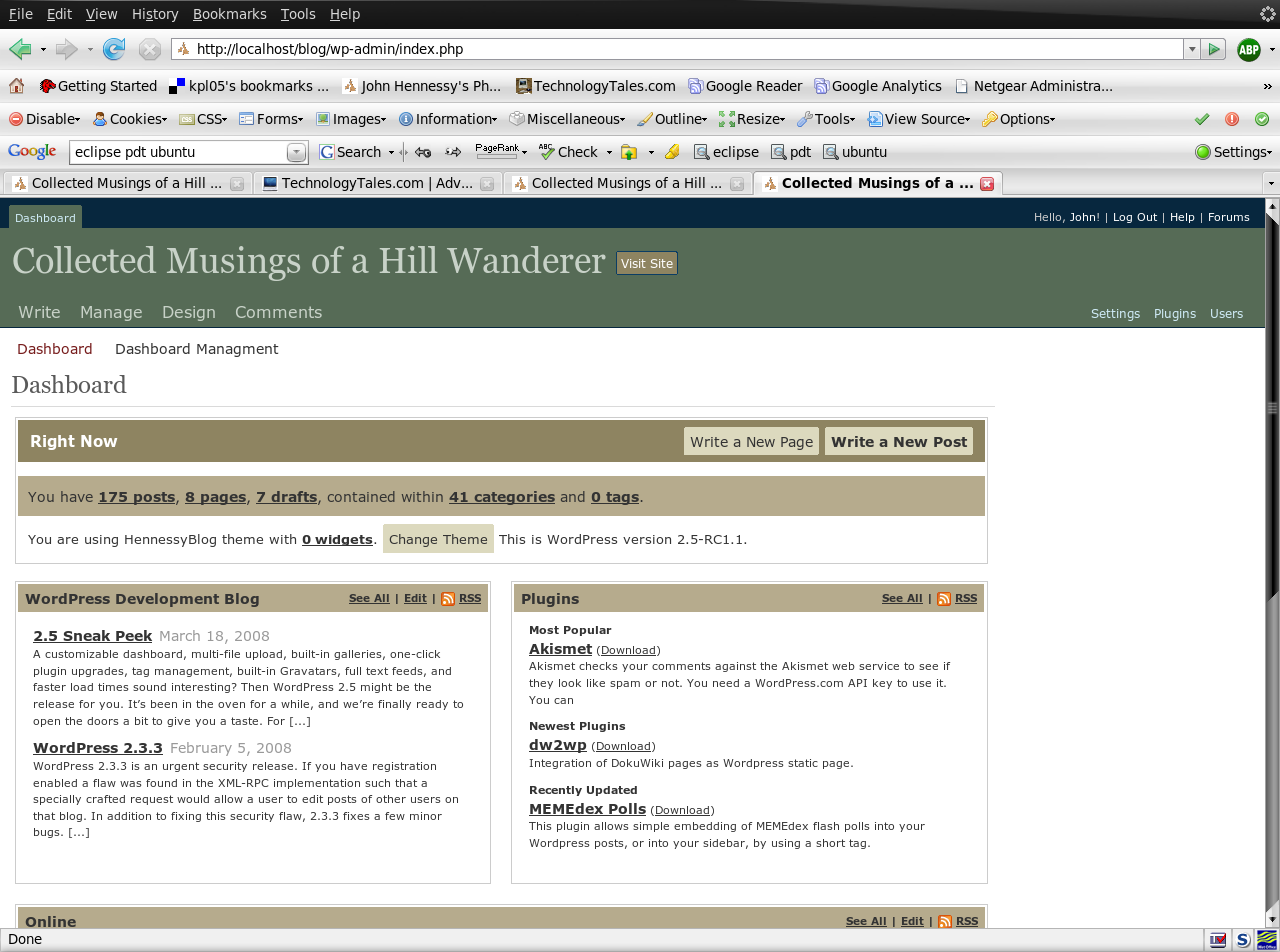
Though the final release of WordPress 2.5 isn’t out yet, that hasn’t stopped me playing around with it and spotting a bug or two. Along the way, I have taken the chance to create a plugin that takes the old Earthtones palate into the new world. To accomplish this, I have taken the WordPress Classic stylesheet defining colours along with some template code from planetOzh and tweaked it accordingly. While I may not have got to every possible nook and cranny for colouration, I hope to have covered most of them. You may even find it useful yourself.
Opera and table display
15th March 2008
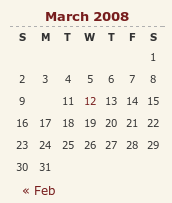
I have encountered something very strange with my hillwalking blog, and I have to admit that am at something of a loss as to how to resolve it. Opera (version 9.x), it seems, is not displaying the date corresponding to the first post of a particular month. You can see the effect on the right for the current month and, yes, the tenth of the month has a post associated with it. What compounds the mystery is that the same issue doesn't affect this blog, so some further investigation is very much in order. However, the cascading element of CSS doesn't help much when trying to track down the cause of this sort of thing. While, it's irritating, I don't have any definite answers yet and so would appreciate some suggestions. Meanwhile, I'll be staying on the lookout for a fix. Curiously, all's fine on Firefox and IE.
Downloading Ubuntu
14th March 2008
When I was wandering around looking for a preview of Ubuntu Hardy Heron (8.04), it took a bit of blundering before I landed on cdimage.ubuntu.com. Since there are ample ISO images and torrents available for anyone's needs, I decided to keep the link somewhere handy for those who might need it.
Hosting more than one WordPress blog on your website
12th March 2008
An idea recently popped into my head for my hillwalking website: collecting a listing of bus services of use and interest to hillwalkers. Being rural, these services may not get the publicity that they deserve. In addition, they are generally subsidised, so any increase in their patronage can only help maintain their survival.
Currently, the list lives on several pages page in the blog, but another thought has come to mind: using WordPress to host the list as a series of log entries, a sort of blog if you like. Effectively, that would involve having two blogs on the same website. One way is to set up two instances of WordPress in the same place, where they could work from the same database; the facility for this is allowed by the ability to use different table prefixes for the different blogs so that there are no collisions. While there's nothing to stop you having two databases, your hosting provider may charge extra for this. This set up will work, but there is a caveat: you now have two blogs to maintain and, with regular WordPress releases, that means an extra overhead. Apart from that, it's a workable approach.
Another option is to use WordPress MU. That would cut down on the maintenance, but there are costs here too. Its need for virtual hosts is a big one. If my experience is any guide, you probably need a dedicated server to go down this route, and they aren't that cheap. I needed to do a spot of Apache configuration and some editing of my hosts file to get my own installation off the ground; I don't reckon that would be an option with shared hosting. Once I sorted out the hosts with a something.something.else address, set up was very much quick and easy.
Apart from a tab named Site Admin, the administration dashboard isn't at all that different from a standard WordPress 2.3.x arrangement. In the extra tab, you can create blogs and users, control blogs and themes as well upgrade everything in a single step. Themes and plugins largely work as usual from an administration point of view. With plugins, you have just to try them and see what happens; one adding FCKEditor threw an error while the editor window was loading, but it otherwise worked OK. I had no trouble at all with themes, so all looks very well on that front.
Importing and editing posts worked as usual but for two perhaps irritating behaviours: tags are, not unreasonably, removed from titles and inline styled and class declarations are removed from tags in the body of a blog entry. Both could be resolved by post-processing in the blog's theme, but the Sniplets plugin allows a better way out for the latter and I have been putting it to good use.
In summary, WordPress MU worked well and looks like a very good option for multi-blog sites. However, the need for a dedicated server and the quirks that I have seen when it comes to handling post contents keep me away from using it for production blogs for now. Even so, I'll be retaining it as a test system anyway. As regards the country bus log, I think that I'll be sticking with the blog page for the moment.
Keeping an eye on WordPress development III
11th March 2008
If the milestone date was to be believed, WordPress 2.5 was due yesterday. However, it has yet to show up, and a brief look at WordPress Trac reveals why: loads of outstanding tickets relating to bugs. In fact, there seem to be more tickets associated with this than other releases. I suppose that we can expect the new release when we see it then. Interestingly, the administration screen theming references have been removed from the pre-release version, so that's a functionality for a future release, and it's not difficult to see why. Otherwise, the style of the screens in the latest Subversion revision looks a bit smarter and my blog themes are not getting broken. For my online blogs, I'll be sticking with 2.3.3 for now.
Putting it all on one line
9th March 2008
One of the nice things about the Linux/UNIX command line is that you get the options of stringing together a number of commands on one line for submission of all for processing at one go. Separating them with && does the trick, but I noticed that semicolon delimitation worked as well. Here's a line that will install VMware for you in one fell swoop:
sudo apt-get install linux-headers-$(uname -r) build-essential gcc-3.4 && tar xzf VMware-workstation-6.0.2-59824.i386.tar.gz && export CC=/usr/bin/gcc-3.4 && cd vmware-distrib && sudo ./vmware-install.pl
Another trick is to direct the output of one command into another, like the following, which subsets a process listing:
ps -aux | grep "wine"
It's all good stuff and is the sort of thing that shows why so many Linux/UNIX types love their command line so much.