Making Nautilus work like it does in Ubuntu for any other GNOME-using distro
 Published on 26th July 2009
 Estimated Reading Time: 1 minute
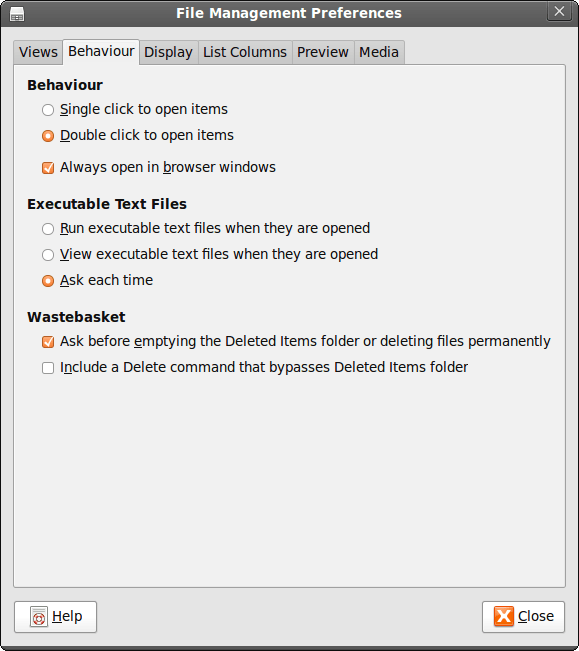
While It's a personal preference, I like the way that Nautilus (GNOME's default file manager if you need to know) is set to work on Ubuntu by default. For some tastes, it might look too similar to Windows Explorer, but having all the action happening in the same window is a convenience that users of other GNOME using distributions may not realise is there at all. By default, Debian and Fedora use what is called spatial mode, with each double-clicking action on a folder icon firing up a new window. Personally, I think that clutters the desktop without good cause, yet it's easy to change. All that's needed is to go to Edit>Preferences in a Nautilus window, proceed to the Behaviour tab and toggle the Always open in browser windows tick box as shown below. Quite why this is not the default in all GNOME using distributions is beyond me, but others may prefer what I dislike and Linux is all about choice, after all. Well, you can decide to use Gnome Commander instead and there are times when I do the same along with being a command line user too.