Evaluating an ergonomic mouse
 Published on 24th October 2007
 Estimated Reading Time: 3 minutes
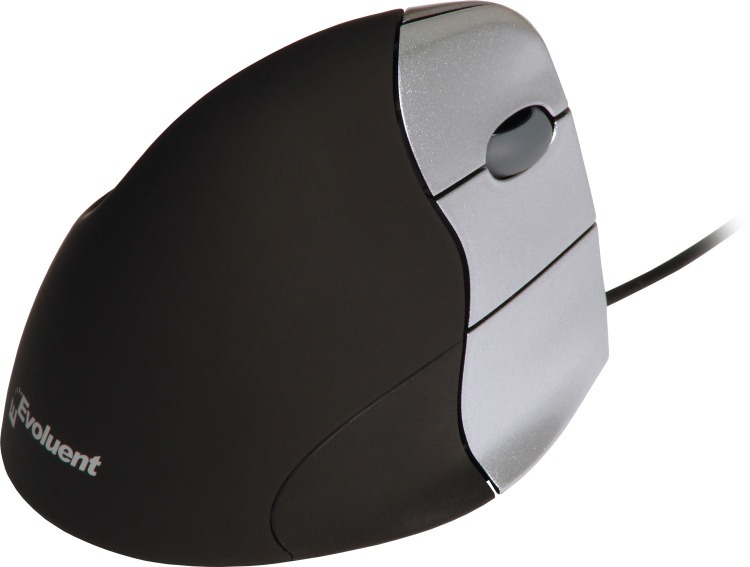 Recent hectic mouse work has left my right hand feeling the worse for wear, so a recent opportunity to try out a colleague's Evoluent VerticalMouse 3 was one that I took up. I gave it a go for a day, and it left me impressed enough to go out and order one for myself. It's not a cheap item, with some selling for a smidgen less than £60 and others selling for significantly more than this. Also, it is a handed item; the latest version is available to right-handers like myself, along with an earlier one for lefties. While It will work with Windows 2000, the supplied software is for XP and later.
The idea behind the gadget is intriguing: rather than having your hand held parallel to your desk as with a conventional mouse, you have it almost perpendicular to it. The claim is that when you have your arm this way, it is less likely to get tired. The arrangement may sound as if it might not work, yet it does in practice: your thumb is the anchor for the hand and the little finger (lúidín in Irish) rests on a little ledge that stops it getting dragged along either the mouse mat or the surface of the desk. This arrangement does allow you to relax your hand on the mouse. You get the usual mouse functions plus extra buttons that you can use to go back and forward through web pages; even without installing the included software, you get these. However, I have observed drift of the mouse cursor across the screen of my home PC when the unit is not being moved around. At first, I wasn't sure what was causing this, but it now appears to be the mouse mat that I was using. I'll continue to give it a go.
Update: a mouse such as this really needs you to rest your arm on the desk for it to be at its most helpful. Though that's fine for work, my home set up had me stretching my arm and that leads to a lot of discomfort. That isn't the fault of the mouse: it is actually telling me something useful. The primary cause is a pull-out keyboard drawer that I have to use due to a lack of space on the desk itself. So, I raised my full tower computer case a little from the floor and now use that as a platform for the mouse. While I know that it's an unconventional approach, it seems to be working so far, and I can make further adjustments if needs be...
Perific ergonomic mouse is a high performance device and it offers you variation, comfort, and flexibility in everyday computer work. This meets all your expectations for what you are searching for an advanced ergonomic mouse.
Perific is a wireless optical mouse that you can take easily to your work place. It is the latest version of wireless input device. It offers you all the functionality of traditional mouse and so much more.